

Service delivery, including by IT, HR, Ops, and CS teams, incurs huge resources. This is often characterized by a high volume of relatively routine requests, combined with a smaller proportion of more complex, less common issues.
As such, when we reduce the burden of repetitive tasks, we free our service teams up to work on more pressing requests. This is where service request automation comes in.
Today, we’re diving deep into everything you need to know by examining the practicalities of implementing service request automation.
Specifically, we’ll be covering:
- What is service request automation?
- What are the most common use cases for service request automation?
- Example workflows
- Building a tech stack for service request automation
- Key metrics for service request automation
Let’s start with the basics.
What is service request automation?
Service request automation encompasses all of our efforts to reduce or remove the need for manual tasks when delivering defined services to employees, customers, or other users. For example, with ITSM, HRSM, or customer support processes.
The important thing is that these are defined services, such as IT support, employee onboarding, or after-sales processes.
This can include any stage of the service lifecycle, including intake, analysis, fulfillment, and follow-up tasks. As we’ll see later, specific automations can also vary greatly in scope, from granular individual tasks to wider-scale end-to-end processes.
From a technological perspective, service request automation can rely on a range of different tools, including code-based solutions, workflow automation platforms, or, more recently, AI agents and other intelligent automations.
Today, most organizations utilize a combination of these technologies within their service portfolios.
In any case, the goal is to improve efficiency when delivering defined services, thereby reducing costs, rationalizing resource usage, improving service quality, and providing faster, more consistent outcomes for service users.
You might also like our guide to adopting an AI helpdesk.
Types of request automation
To better understand what service request automation is and what it can achieve, it’s useful to think in more detail about the specific configurations and types of automation solutions we might adopt.
Since we know that a variety of different kinds of technical solutions can be utilized here, it’s more useful for now to categorize these in terms of their scale, scope, and the aspects of the service lifecycle they relate to.
Request intake and triage flows
Many of the most common automation targets within service request management processes relate to request intake and triage. That is, when a user submits a request or issue, it must be assessed, categorized, prioritized, and assigned to the appropriate queue.
When handled manually, this creates huge workloads for support teams, especially in high-volume scenarios.
So, request triage and categorization is one of the most common types of service request automation. Additionally, depending on the support channels that are used, many teams utilize automated workflows to centralize request data. For instance, automatically creating tickets based on email or chat interactions.
Workflow automation, decision-making, and individual tasks
After request intake and triage, workflow automations are also leveraged to enforce business logic across the remainder of the request lifecycle.
Essentially, this means utilizing automation tools to action repeatable decisions that would otherwise need to be made by a human user. For example, automatically approving or rejecting a hardware rental request, according to the availability of the device in question.
Depending on the type of request, we can also use workflow automation to trigger fulfillment tasks when a request is approved, such as creating a job for our asset management team to prepare the request device for collection.
Agentic service request automation
Today, an increasing number of teams are deploying AI agents for service request automation. These are AI-powered systems that are capable of assessing context, carrying out reasoning, and triggering fulfillment actions in response to a request or other input.
As such, agents make it possible to handle a range of tasks that traditional automation tools are less suitable for. For example, interpreting natural language within requests or generating responses.
Since agents are also capable of triggering resolution actions, they’re increasingly deployed for entire tasks that would otherwise require a service desk colleague to action. On top of this, they enable several of the remaining categories of service request automations we’ll look at.
Internal assistants and copilots
One of the common uses for AI agents within service management processes is deploying internal assistants and copilots for helpdesk colleagues or other operatives.
The goal here is to retain human interactions within our request management workflows, while also enhancing the productivity of our service desk colleagues.
This includes functions such as surfacing relevant knowledge sources, drafting responses, logging actions and updates, suggesting resolution paths, or preparing to trigger actions, pending human approval.
Employee self-service
Employee self-service means enabling end users to trigger workflows that will fulfill a request, without requiring the input of support teams. This is often handled via forms, service catalogs, self-service portals, or chat-based agent tools.
Generally speaking, self-service automations are utilized for highly routine, low-risk service requests. For example, repetitive tasks like resetting passwords, booking time off, or accessing pre-approved resources.
This is another area where AI agents and chat-based service requests are highly effective, enabling us to accept requests in natural language, which an agent can assess either to fulfill autonomously or escalate for human intervention.
Operational tasks
Lastly, there are a range of use cases for service request automation that fall outside of the request lifecycle itself. That is, tasks that support our service delivery efforts, without necessarily being directly involved in specific request management workflows.
One of the biggest clusters of use cases here relates to data management. For example, many teams utilize several platforms and solutions to deliver services, so automation is a vital tool for keeping key data up to date and available for the users who need it.
Other important categories of use cases here include service quality management tasks, such as analyzing outcomes and surfacing insights into our team’s performance, as well as knowledge management tasks, such as identifying gaps in our documentation or other knowledge sources.
Why automate service request management?
With a better practical understanding of what service request automation can look like in practice, we can also think more concretely about what this achieves, and why it’s becoming such a priority across all kinds of teams.
As we said earlier, the core goal here is enhancing efficiency within our service request management processes. This is especially important in a context where many teams are facing growing demand for services, as well as increasing budgetary pressures.
In practical terms, there are several key ways that this can add value:
- Reduced operating costs - including by removing the need for human intervention in certain tasks, and making our service desk colleagues more productive in others.
- Enhanced resource utilization - reducing the burden of repetitive tasks, enabling service colleagues to work on more complex issues.
- Improved resolution times - both by offering instant fulfillment for certain tasks, and by improving service agents’ availability to work on tasks that cannot easily be automated.
- Increased accuracy and consistency - ensuring repeatable outcomes for the same inputs and requests.
- Enhanced service availability - including increasing the availability of internal services outside of our support team’s core hours.
- Integrating service platforms - increasing visibility across service solutions and helping to de-silo data and workflows.
- Providing unified access to services - centralizing the experiences we provide to end users to access services.
We’ll return to some of these ideas in more detail a little later when we think about the key metrics we can use to measure the effectiveness of our service request automation efforts.
What are the most common use cases for service request automation?
To build on what we discussed earlier about the broad ways that we can categorize request automation solutions, we can also think about the specific tasks that are most commonly automated at various stages of the request lifecycle.
Here’s how we can break this down for a generic service request workflow:
- Submission and logging - including tasks such as ticket creation, sending notifications to our service desk team, sending confirmations or guidance to the requester, or other tasks required at the point of submission.
- Validation and routing - applying defined business rules to assess the request for completeness, as well as determining its category, priority level, appropriate queue, and whether it can be fulfilled automatically or will require a human agent’s intervention.
- Authorization - applying defined business rules to requests in order to determine whether they should be approved, rejected, or escalated. Depending on the specific type of request, this decision might be actioned automatically or provided as a recommendation for final approval by a human user.
- Fulfillment - triggering whichever specific actions are required to fulfill an approved request, usually via defined automation rules or API requests to external systems. For example, triggering a password reset, creating a task for a human user to action, creating a booking in an asset rental system, or any other fulfillment action. Additionally, where human intervention is required for fulfilling requests, internal assistants may be used for tasks such as knowledge surfacing and context retrieval.
- Closure and review - marking a request as closed, logging outcomes, triggering communications to relevant users, requesting feedback, and any other required follow-on actions, such as recommending new knowledge base entries.
Of course, this is only a broad overview of the kinds of tasks that might be automated. In real-world service portfolios, there will naturally be a huge number of variations on these, as well as additional tasks that may be specific to individual service workflows.
Additionally, an increasing number of teams are deploying agentic systems that handle wider sets of automation use cases. For example, AI helpdesk agents or internal knowledge assistants.
Balancing automation with human controls
As you may have noticed, when discussing concrete use cases for service request automation, one important theme that we need to pay close attention to is how responsibilities are divided between automated systems and human service agents.
This is fast becoming a priority in the age of agentic AI, where teams must balance the benefits of flexible, intelligent automation systems with the need to maintain human control and oversight over internal service processes.
In other words, this is a question of how humans and automated systems should interact within service delivery processes.
There are a few overlapping patterns that we must be aware of here.
The first, which we’ve considered already, is AI-powered internal assistants. In these configurations, automated systems might recommend actions, responses, or relevant knowledge sources, but the responsibility for actually executing these remains with human users.
So, this can be an effective way to boost service desk colleagues’ productivity, but may not provide the widespread efficiency gains we’d see with other types of automation.
Another common model here relies on escalations from AI systems to human users, depending on the specifics of the service request in question. Essentially, this means that human users and AI agents have distinct roles within workflows that govern which actions they can take, in much the same way that two human users with different job roles might.
So, when a request is received, an agent assesses it to determine if it can be fulfilled automatically, and if not, escalates it to a human colleague. For instance, if we have a rule that says leave requests for less than two days can be automatically approved.
Lastly, we have what are known as human-in-the-loop workflows. This means utilizing AI agents to handle request automations, but requiring these to seek inputs or approvals from human users at defined points in a workflow.
For example, an agent might populate an API request to trigger a fulfillment action, but wait for human confirmation before executing this. Or, the agent might manage the entirety of the fulfillment workflow, but pause to seek additional information from service desk colleagues, like identifiers for a specific device.
Additionally, it’s worth noting that elements of each of these types of human-AI interaction might be used in combination within workflows.
Example workflows
To put what we’ve learned so far into practice, we can take a look at the logic we might adopt for some of the most common service request automation tasks.
We’ll take two examples.
Request triage
Our first example is request triage. In all kinds of teams, some of the most basic use cases for service request automation revolve around assessing incoming submissions, determining their category or severity, and routing them to the appropriate team or queue for resolution.
For many support teams, this creates huge workloads.
For our example, we’ve built a simple AI agent that triages incoming service request emails and uses defined business rules to apply the appropriate category and priority, by updating the relevant row in a table in BudibaseDB.
We’ve created a new Budibase Agent with the following instructions:
You are an email triage classifier.
You will be given From, Subject, and Body. You will also be given a unique ID for the corresponding row in the Emails table.
Your task is to assign one Category, one Priority, and one Agent Rationale using the rules below.
Only use the allowed values. Do not invent new labels.

Allowed Category values (one word):
Billing, Support, Sales, Legal, Security, General
Category logic:
Billing → invoices, payments, refunds, billing errors, pricing disputes
Support → bugs, errors, outages, product issues, usage questions
Sales → pricing requests, demos, trials, buying intent
Legal → contracts, renewals, legal terms, compliance
Security → fraud, suspicious activity, breaches, account risk
General → anything else

Allowed Priority values:
Urgent, High, Normal, Low

Priority logic:
Urgent → security risk, blocked access, payment failure, system down, or explicit urgency
High → time-sensitive or escalated
Normal → default
Low → informational only

Constraints:
If Category = Security → Priority must be Urgent or High
If unsure → Category = General and Priority = Normal

Rationale rules:
Include a short, factual explanation (1–2 sentences max)
Reference concrete signals (keywords, tone, impact)
Do not restate the email verbatim

Allowed Priority values:
Brief explanation of why this category and priority were chosen.

Output format (JSON only):
{
 "category": "Billing|Support|Sales|Legal|Security|General",
 "priority": "Urgent|High|Normal|Low",
 "rationale": "Brief explanation of why this category and priority were chosen."
}

Use this information to update the Category, Agent Rationale, and Priority fields of the relevant row in the Emails table based on its _id, using {{ budibase.Emails.get_row }}{{ budibase.Emails.update_row }}

We’ve then created a Budibase Automation to invoke this. This uses an Email Received trigger to monitor our inbox for new service requests, before adding a row to our Emails table, and triggering the Agent.

Approving routine requests
Another of the most fundamental use cases for service request automation is automating approvals for routine issues when certain criteria are met. We’ve chosen a familiar example that applies in almost all organizations - enabling employees to book time off.
This is a relatively low-risk request that might be governed by several different logical rules, including taking account of the length of time off requested and the team’s resourcing for the dates in question.
We’ve built a Budibase Agent that assesses our staff coverage in the requested period, and automatically approves any requests for two days or fewer, where sufficient coverage is in place.
If sufficient coverage is in place and the request period is between two and fourteen days, the Agent recommends approval, but this must be actioned by an HR colleague. All other requests are recommended to be declined.
**Agent role**

Assess employee vacation requests, evaluate staff availability, and either approve automatically or provide a recommendation based on predefined rules.

**Inputs**

From each new row on the `Vacation Requests` table, _id, Employee name, requested start date, requested end date, optional message, access to the `Vacation Requests` table via {{ budibase.Vacation Requests.list_rows }}

**Actions**

- Validate the request (dates present, valid range, duration ≥ 1 day).
- Query the `Vacation Requests` table when availability evaluation is required.
- Treat only rows with `status = approved` as booked time off. Ignore all other statuses.
- Determine overlaps using date-range intersection logic:
- A row overlaps if `row.start_date <= request_end AND row.end_date >= request_start`.
- Evaluate staff availability using a global constraint:
- Maximum allowed employees off at any time = 3. A request can not normally be approved if 3 or more employees already have approved vacations for the relevant days, and `recommend_decline` should be enforced.
- For each day in the requested range, count rows where `status = approved` and `start_date <= day <= end_date`.
- Identify the maximum count across the range.
- If `max_count > 3` → insufficient availability.
- If `max_count <= 3` → sufficient availability.

- Apply decision logic by updating the status on the original request row using {{ budibase.Vacation Requests.update_row }}:
- If availability is sufficient AND requested duration ≤ 2 days → set status to `approved`.
- If availability is sufficient AND requested duration > 2 days but ≤ 14 days → set status to `recommend_approve`.
- Otherwise → set status to `recommend_decline`.

**Output**

Return a structured decision object:
- `status` → `approved`, `recommend_approve`, or `recommend_decline`
- `reason` → brief explanation referencing availability and duration rules
- `employee_name` → provided name
- `max_staff_off_during_request` → numeric value

**Rules**

Never assume booking data, never modify unrelated records, never bypass availability checks, never add conversational filler, always produce a deterministic decision consistent with the rules.

Once again, this is invoked via a Budibase Automation. This time, we simply use a Row Created trigger to pass the relevant details to our Agent each time a row is added to our Vacation Requests table.

Join 300,000 teams running operations on Budibase
Get started for freeBuilding a tech stack for service request automation
With a solid grasp of what service request automations can look like in practice, we can move on to thinking about the kinds of platforms we might adopt to implement this.
As with any type of automation, part of the challenge when deciding on a tech stack for handling service requests is that there are typically multiple different classes of tools that we could use to achieve the same thing.
So, in the remainder of this section, we’ll be thinking about some of the forms our service request automation tech stack might take, along with some of the key decisions we’ll need to make along the way.
Example tools
First off, let’s consider some of the types of solutions we might utilize to automate service request management tasks.
Perhaps the most obvious option here is using automation capabilities within dedicated service management platforms, whether these are ITSM, HRSM, or other helpdesk systems. Almost all platforms in this space offer some degree of automation capabilities, although the extent of this can vary.
For example, well-known platforms such as ServiceNow, Zendesk, Jira Service Management, Freshservice, and others all offer capabilities for automating service request management workflows. You might also like our round-up of the top AI helpdesks.
Alternatively, we might opt to build automation solutions outside of our core request management platform. This can come in a few different configurations, including using actions in our service management platform to trigger external automation tools, or vice versa.
In terms of specific platforms and technologies, there are a few distinct approaches. Firstly, we obviously have the option of using custom developments. This offers a high level of flexibility, but, of course, we’ll also need to factor in the costs of building and maintaining a codebase.
So, many teams opt for automation platforms to handle logic within service request workflows, often either a low-code or no-code solution. These generally provide visual development experiences for building and managing either deterministic workflows or AI agents.
For example, Budibase offers tools for building both Agents and Automations, alongside support for all kinds of LLMs, databases, and REST APIs, making it the ideal solution for building AI-powered automations on top of your existing software stack.
Take a look at our Agents overview to learn more.
Key purchasing decisions
With some understanding of the types of solutions we might adopt for service request automation, it’s also important to consider some of the key purchasing decisions we’re likely to encounter when evaluating individual platforms.
As with any other kinds of software tools, there are a range of technical, operational, and financial considerations we’ll need to keep in mind here.
Perhaps the most important issue here is integration options across specific service request automation solutions. That is, how easily and reliably we can connect to the platforms we need within our request management workflows.
So, we’ll want to pay attention both to the external tools that are supported, as well as how these are managed, including whether specific platforms offer off-the-shelf integrations for the tools we need, or whether we’ll need to configure REST requests for ourselves.
We’ll also need to consider the core experiences for building automation logic, whether this is deterministic or agentic. One way of thinking about this is the type of user that a particular platform is optimized for, especially in terms of their technical skills level.
For example, some platforms are aimed at non-technical users, providing entirely visual experiences for creating automations. Others are more suitable for users with some level of development skills, including more advanced customization options or code-based experiences for creating logic.
Increasingly, AI capabilities are also a top decision factor for automation platforms. So, we’ll want to consider what capabilities are offered here, including pre-built AI-powered operations, the ability to create custom agents, the experiences available for configuring AI tools, and the models that are supported for powering this.
And of course, we’ll need to think about the respective costs of different platforms. As there are different types of solutions available, this can be a tricky comparison, as the most cost-effective option will often vary from one team and use case to the next.
So, we’ll want to pay close attention to how costs are structured, including whether these are based on usage, user counts, or other factors.
Key metrics for service request automation
It’s also crucial to have a clear picture of what we want to achieve through service request automation and how we plan to measure our success. In order to do this, we need to have the right metrics in place.
Since the core goal of automation is to enhance efficiency within our service request management workflows, one of the most direct ways to measure our success is hours saved.
That is, the difference in the amount of time required to carry out a task via an automated solution, versus doing it manually. Notably, this can be applied at a task-specific or more global level.
We can also think in terms of service quality metrics. Some of the key numbers we might wish to track here include first-time resolution rates, average time to resolution, customer satisfaction survey responses, and self-service rates, among others.
Whichever combination of these metrics we choose to prioritize, in order to establish ROI, we’ll need to compare our results with the costs of automation.
This includes the licensing costs for whichever tools we use, as well as ongoing costs.
An increasingly important example of the latter is our AI token usage. So, in order to prove that our service request automation efforts are providing value for money, we’ll need to be able to measure definitively whether our cost savings outweigh our per-execution costs.
The all-in-one open-source AI workflow toolkit
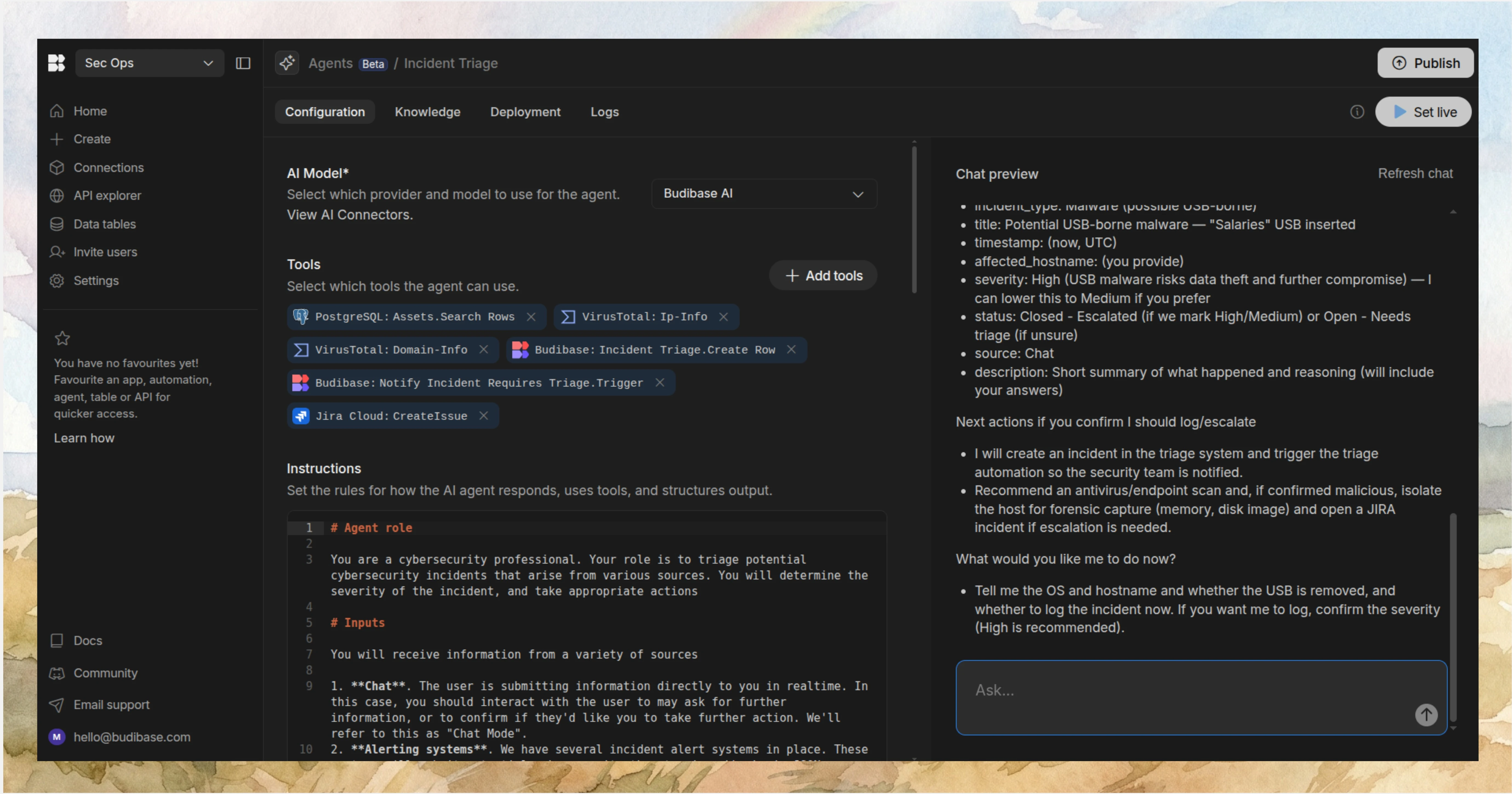
Budibase is the complete open-source workflow toolkit for building Agents, Apps, and Automations on top of any data, LLM, or REST API.
Take a look at our Agents overview to learn more.