

Internal service workflows are some of the most prominent use cases for agentic AI. IT and HR teams often deal with high volumes of routine issues that can create huge workloads to manage and resolve.
Today, we’re exploring one solution to this problem by building a self-service agentic issue resolution system in Budibase. The goal is to utilize an AI agent to automatically resolve routine requests, direct users to relevant knowledge sources for documented issues, or escalate to our human support team where this is not possible.
Specifically, we’ll be covering:
- What is agentic issue resolution
- What are we building?
- How to build an agentic issue resolution system in Budibase
Let’s start with the basics.
What is agentic AI issue resolution?
Agentic issue resolution means using AI agents within services or support workflows to automatically trigger resolution actions in response to known issues. For example, resetting passwords when a user is locked out.
Generally, these kinds of solutions act as an initial point of contact within support and ticketing workflows. So, the agent will determine if the issue is something that can be resolved automatically, before either triggering a follow-on, assisting the user to self-service, or escalating to human-led workflows.
This is built around an LLM, which we provide with business logic in the form of an instruction prompt, along with access to the tools, data, and API endpoints that it requires in order to trigger resolution actions.
Depending on our needs, this can be invoked in a few different ways. For example, in a chat-based tool, as an email agent, within a ticketing system, or via existing tools such as Slack and Teams.
In any case, the goal is, as far as possible, to provide resolutions to user issues without requiring manual interaction from our service teams.
What are we building?
We’re building a simple agentic AI resolution system for IT services using a Budibase Agent built on top of Mistral’s Ministral 8B model.
Our Agent enforces the following logic:
- Users can submit issues in natural language.
- Based on the provided information, the agent will trigger an automated resolution action if available.
- Otherwise, it will search the company documentation to highlight relevant resources so that the user can attempt a self-service resolution.
- Where no relevant documentation exists, the issue is escalated to our support team.
Of course, there are a few different forms that each of these steps may take within real-world systems. For our example, we’re using password resets as an example of an automatable resolution action, by triggering a reset workflow using Okta.
We’ve also built a knowledge base with a collection of markdown documents, which the Agent can search and return via the GitHub API.
Lastly, for issues that need to be escalated to our human team, the Agent can create GitHub issues, again via an API request.
How to build an agentic AI issue resolution system in Budibase
Budibase is the complete AI workflow toolkit that connects to any data, API, or LLM. To build along with this tutorial, sign up for our cloud or self-hosted platform.
Join 300,000 teams running operations on Budibase
Get started for free1. Configuring our model
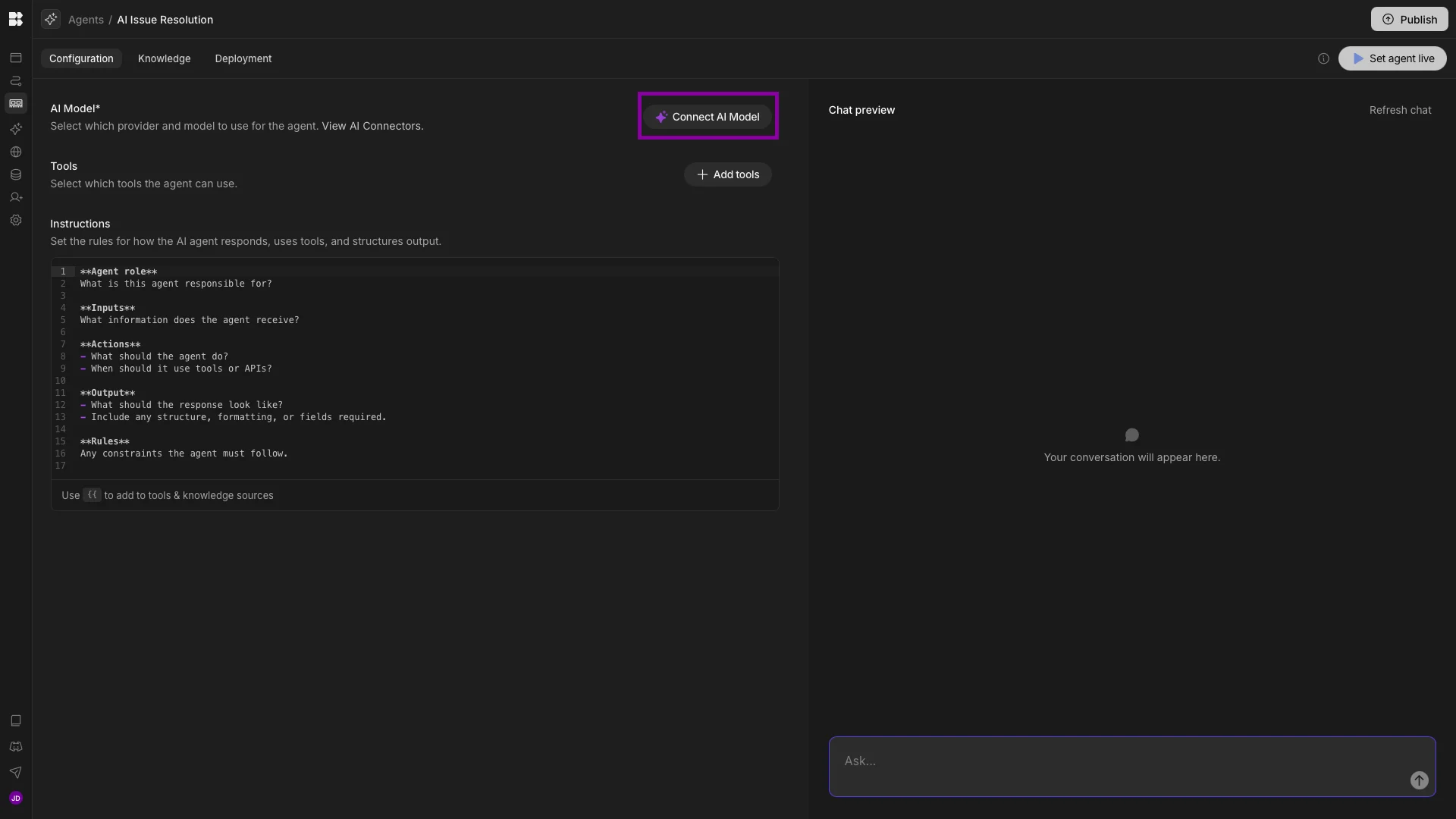
We’re starting with a fresh Budibase Workspace, where we’ve created a new Agent called AI Issue Resolution. Once we’ve done this, the first thing we need to do is set up a connection to an LLM by hitting Connect AI Model.
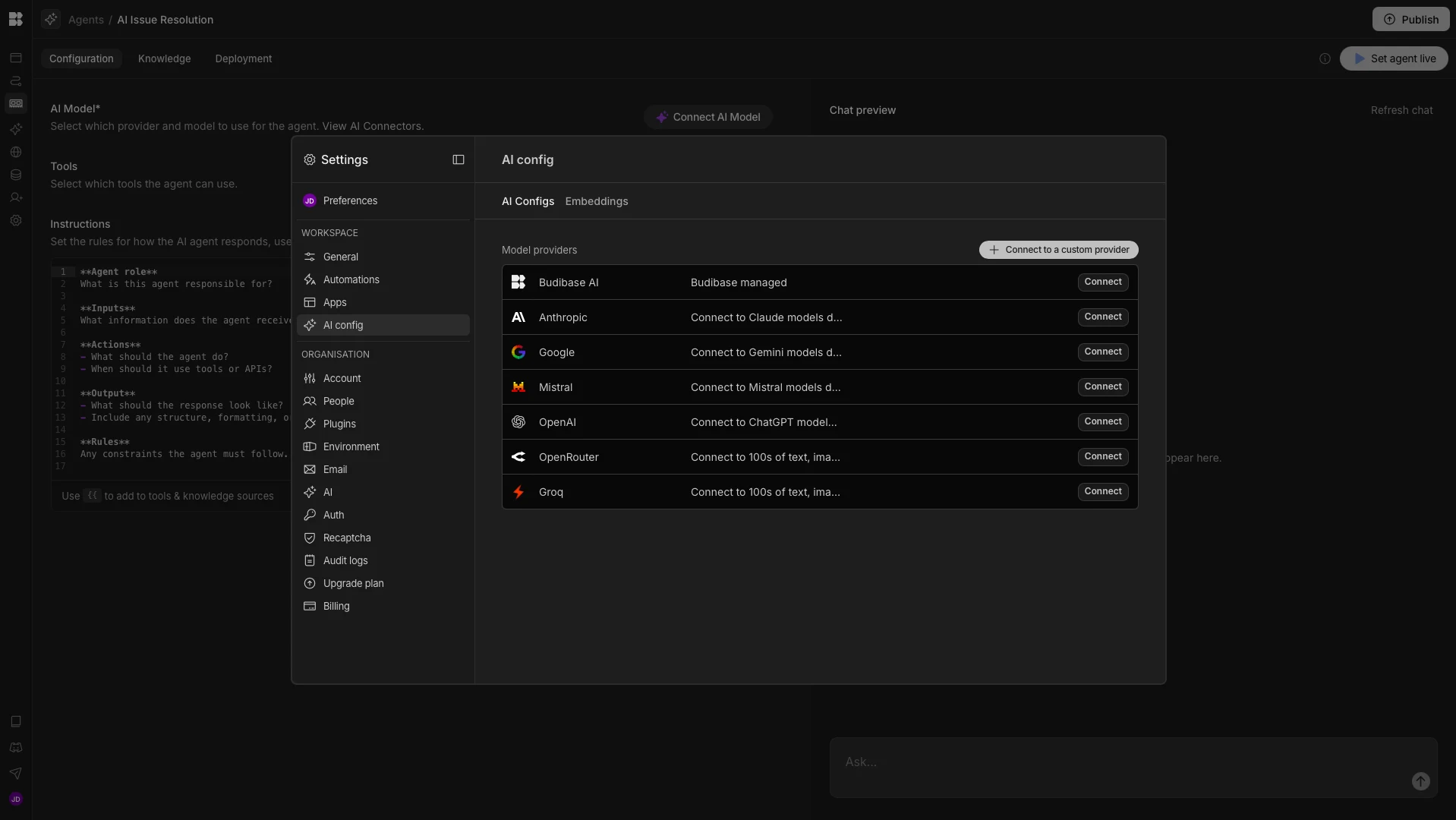
When we press this, we’ll be presented with the AI Config screen in our Workspace’s settings modal. Here, we can see the available model providers, as well as the option to connect via a custom configuration.
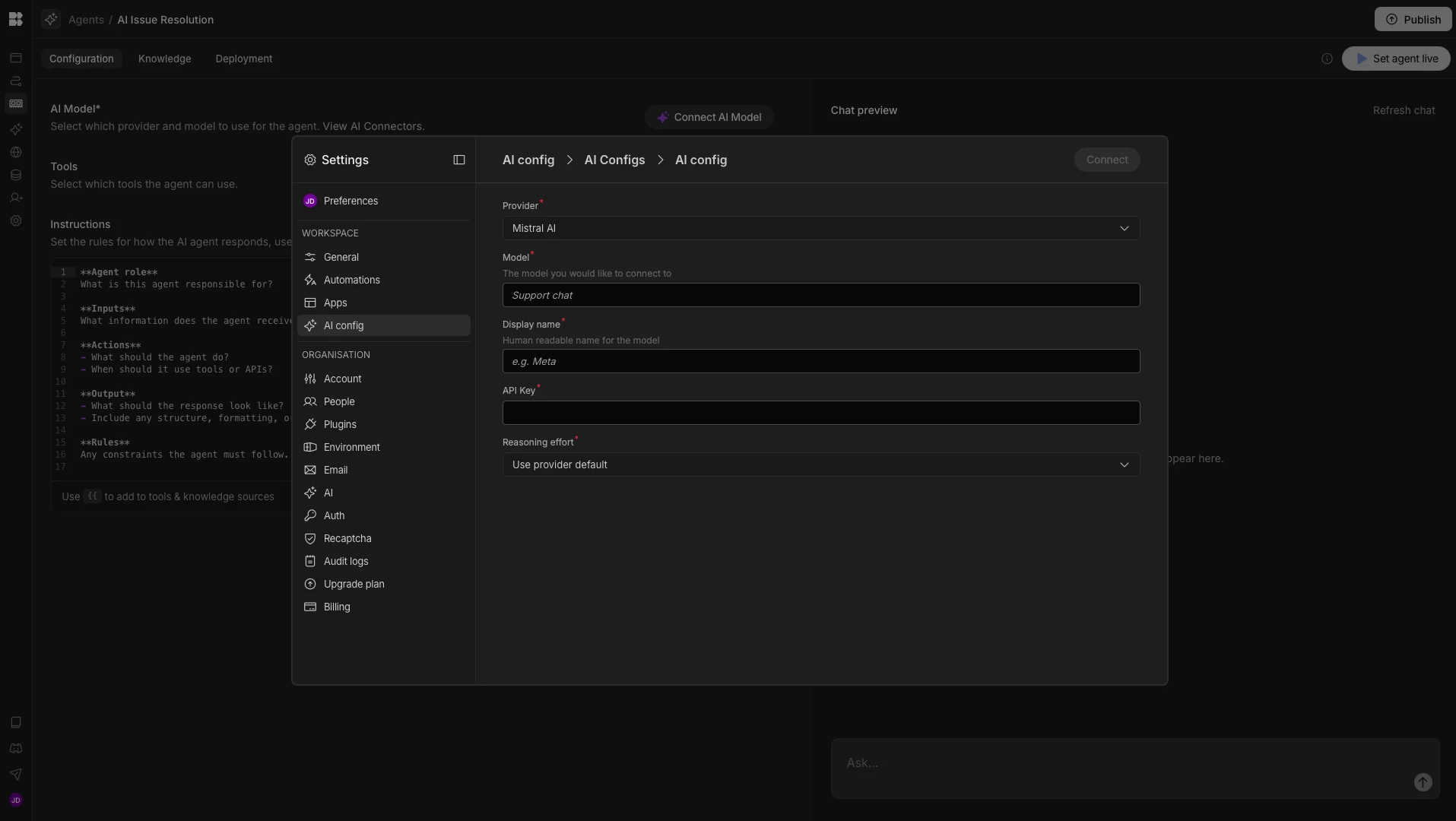
We’re choosing Mistral. We’ll then be presented with the following screen, where we can input our config.
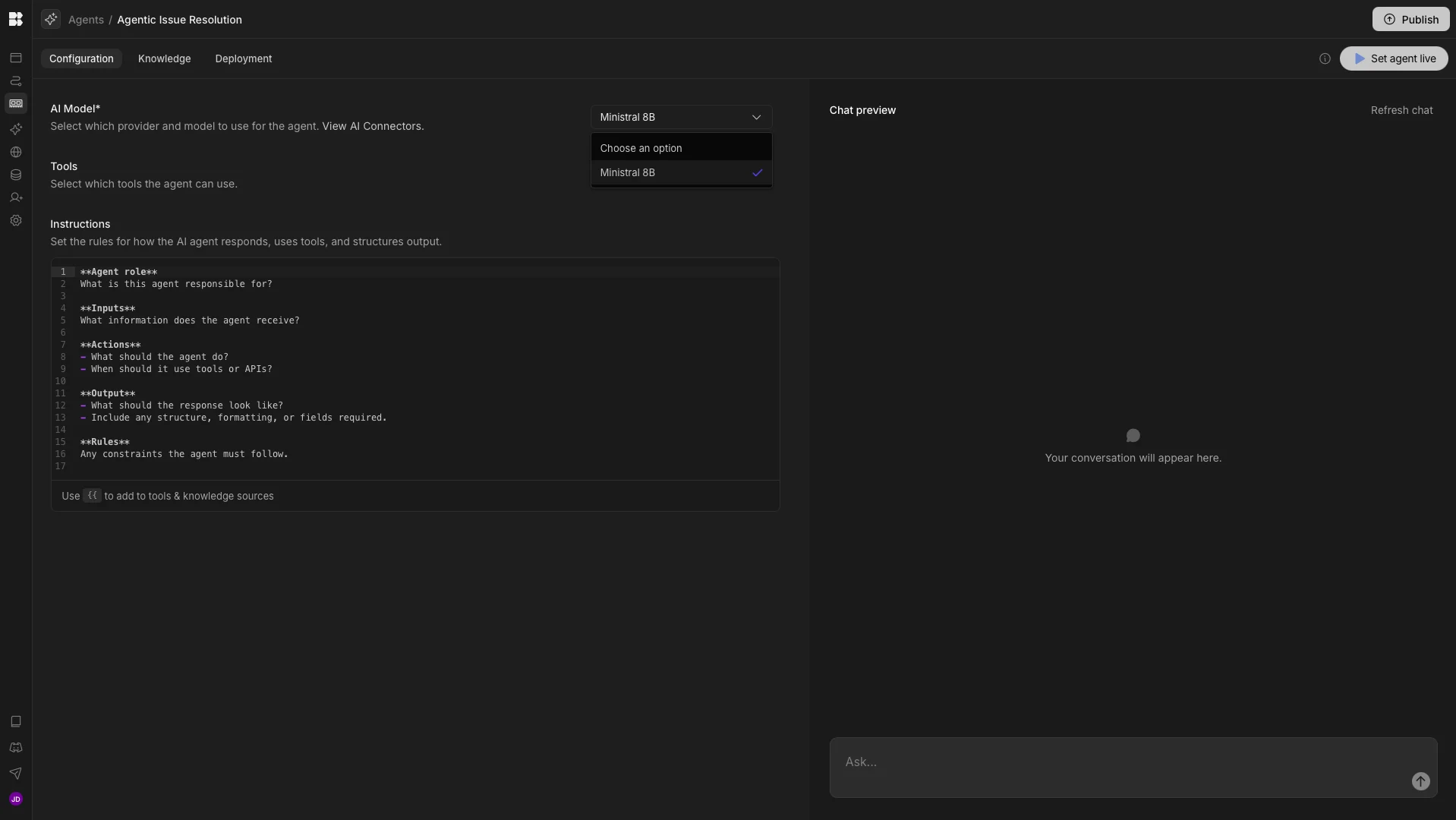
Then, back on the Agent screen, our model will be available to select within the dropdown.
2. Setting up tool integrations
In order to build the workflow we described earlier, we’re going to need a total of five different API endpoints. These are:
- GitHub:
git/get-treereturns a list of files in our repo to identify relevant knowledge base articles by their path.repos/get-contentreturns the content of individual knowledge base articles to confirm their relevance before they are served to the user.issues/createcreates a GitHub Issue for issues that can’t be self-served.
- Okta:
listUsersfinds the relevant Okta account of the user based on the email associated with their Budibase account.resetPasswordtriggers a password reset flow.
We’ve built these using Budibase’s REST templates. We can head to the API Explorer to see all of the available API collections.
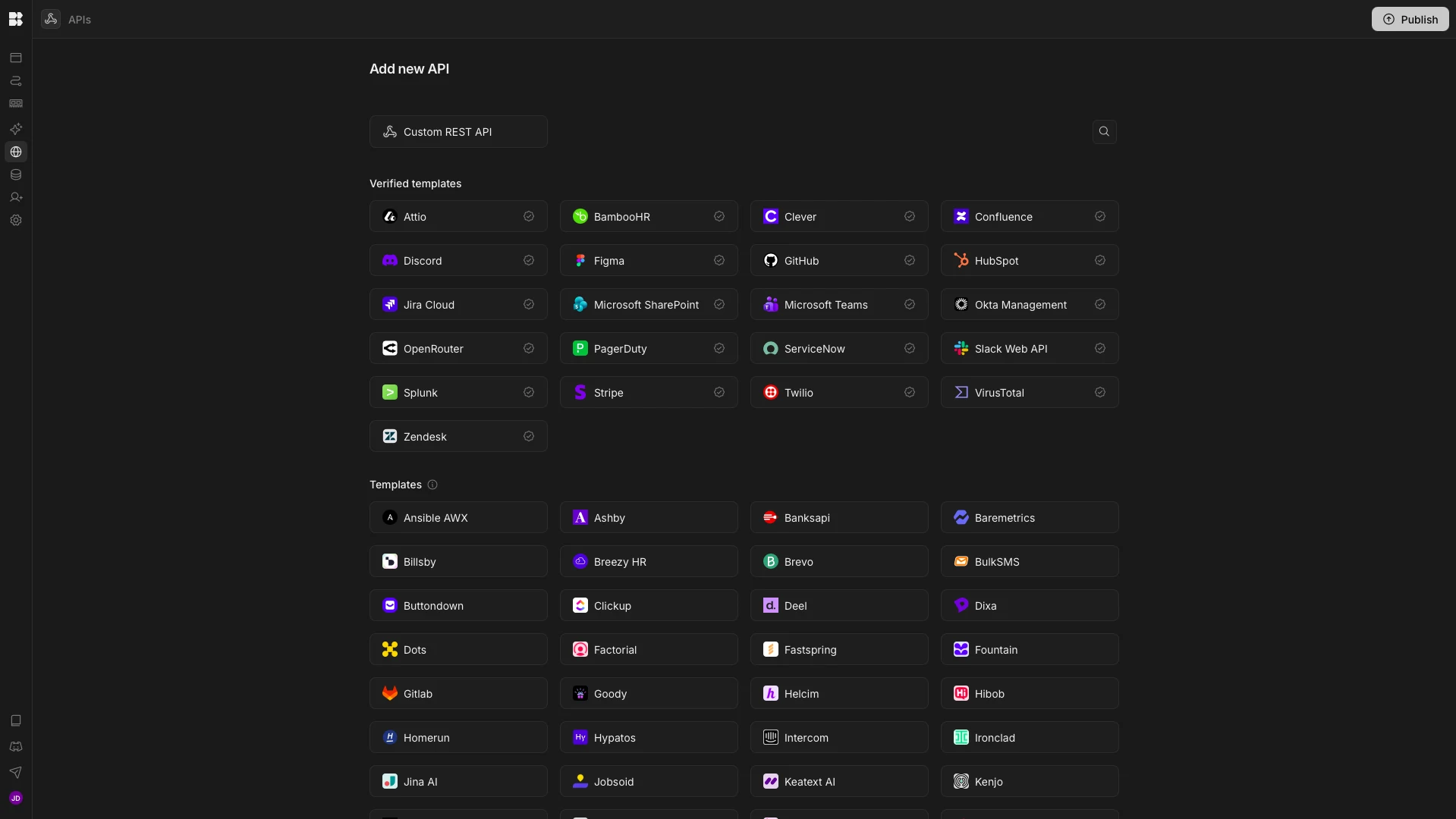
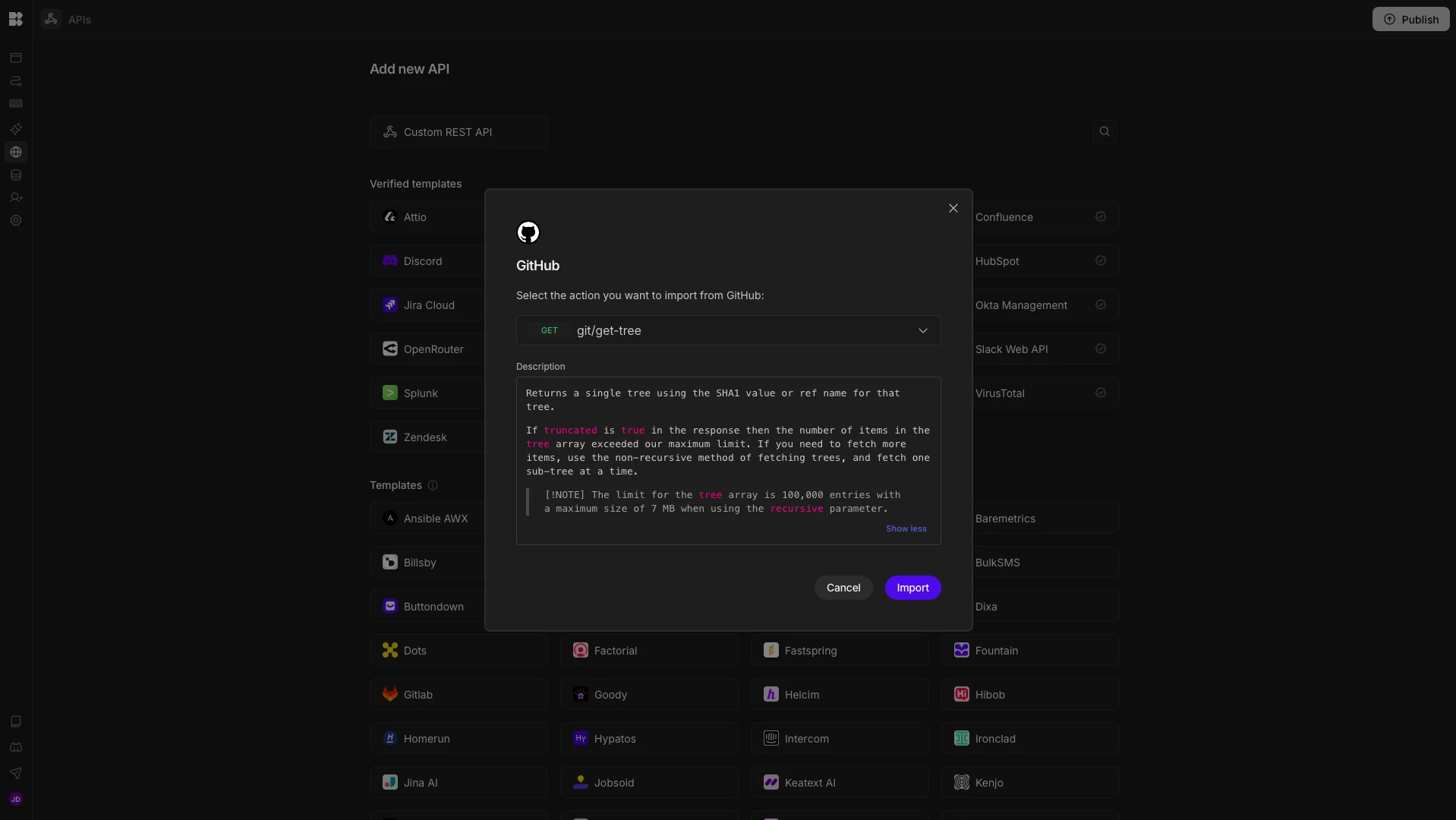
We can then hit GitHub to search for the available endpoints and add the ones that we need.
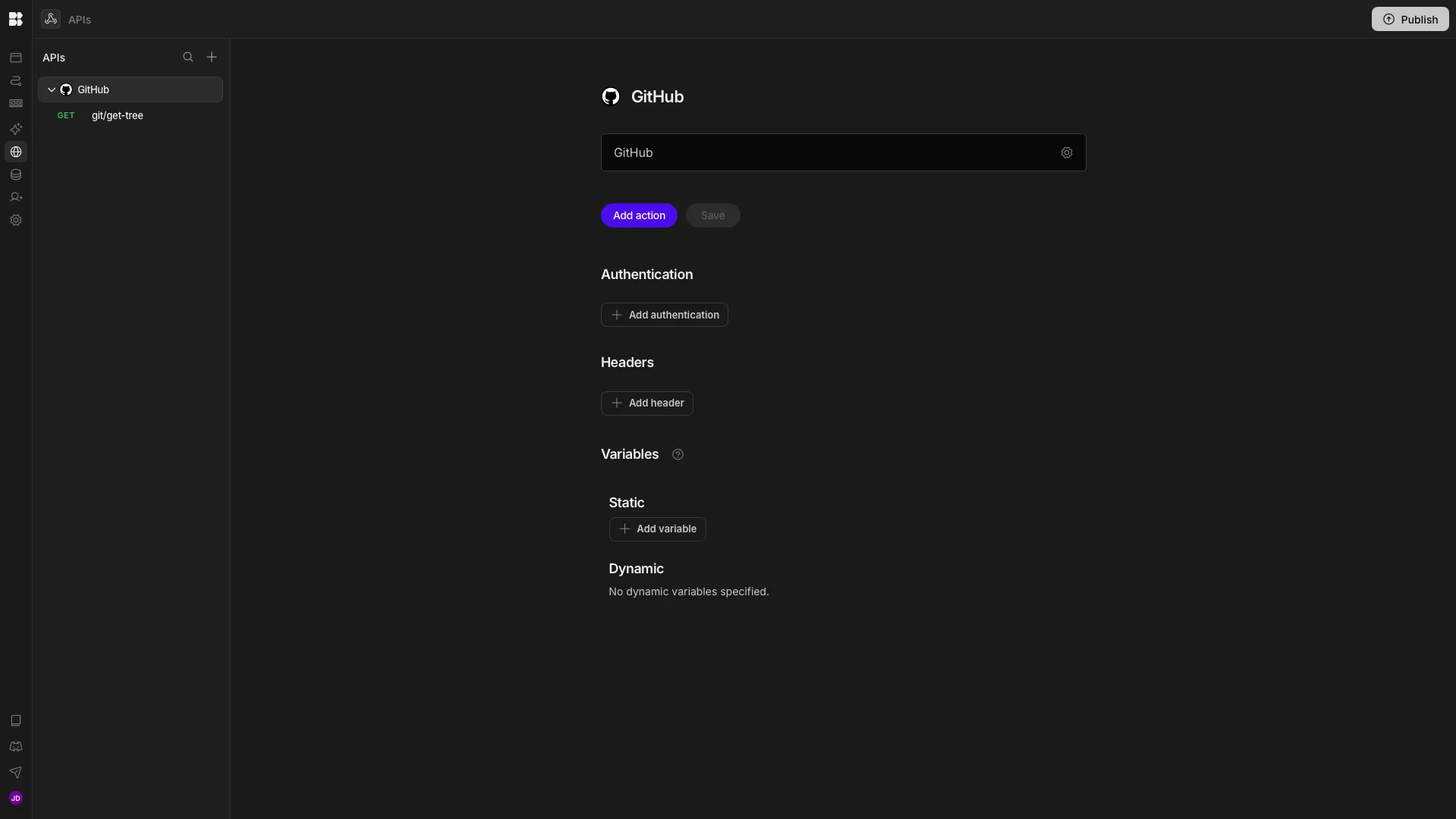
Once we’ve added an API, we can set up our auth. In the case of GitHub, this means adding a bearer token.
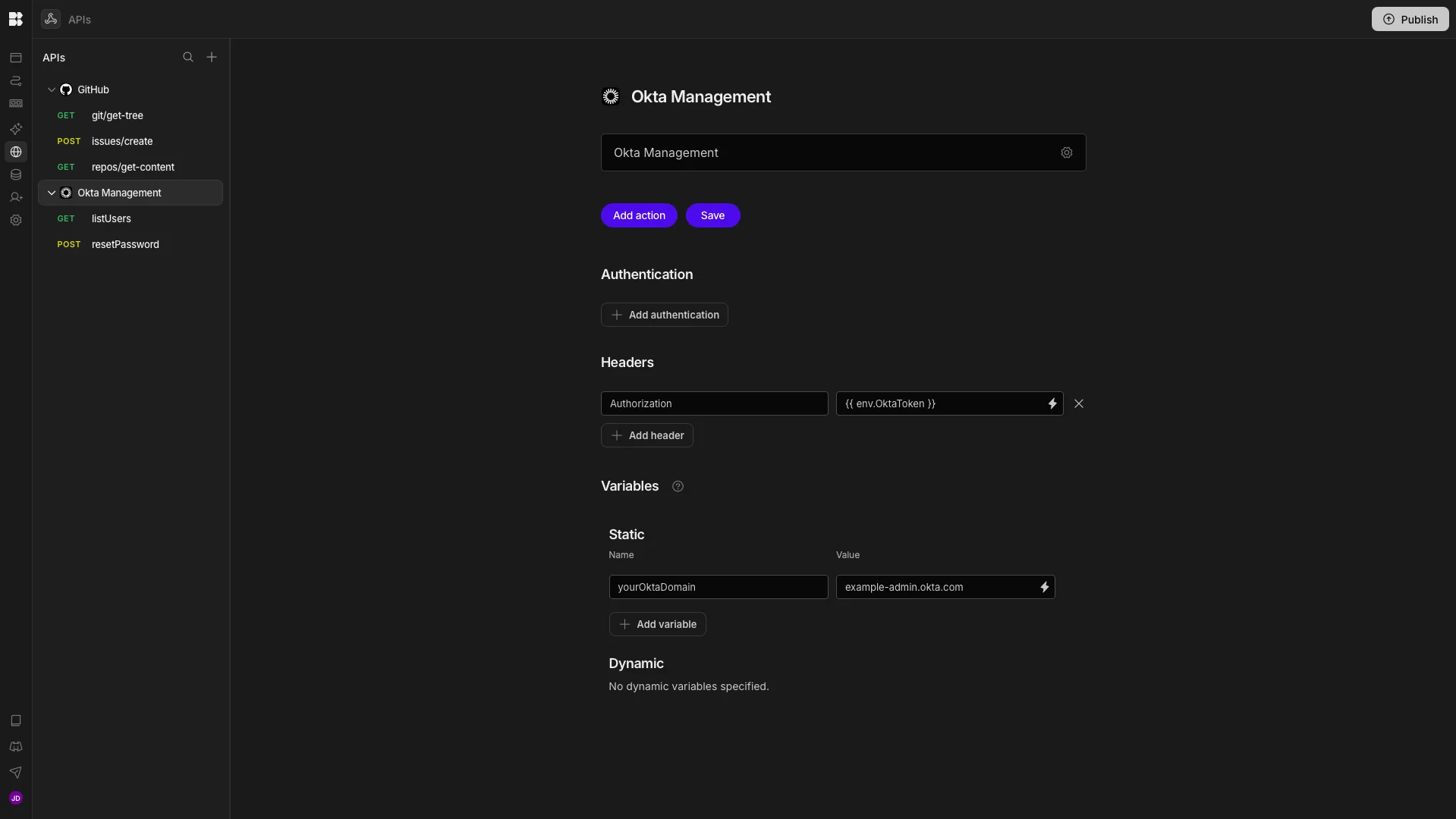
We can repeat this process for each of our API endpoints. For Okta, we’ll also need to add a static value for the yourOktaDomain variable.
Each API endpoint is loaded with the parameters set up that we need to invoke it. All we need to do for now is add default values to theBindings that relate to these.
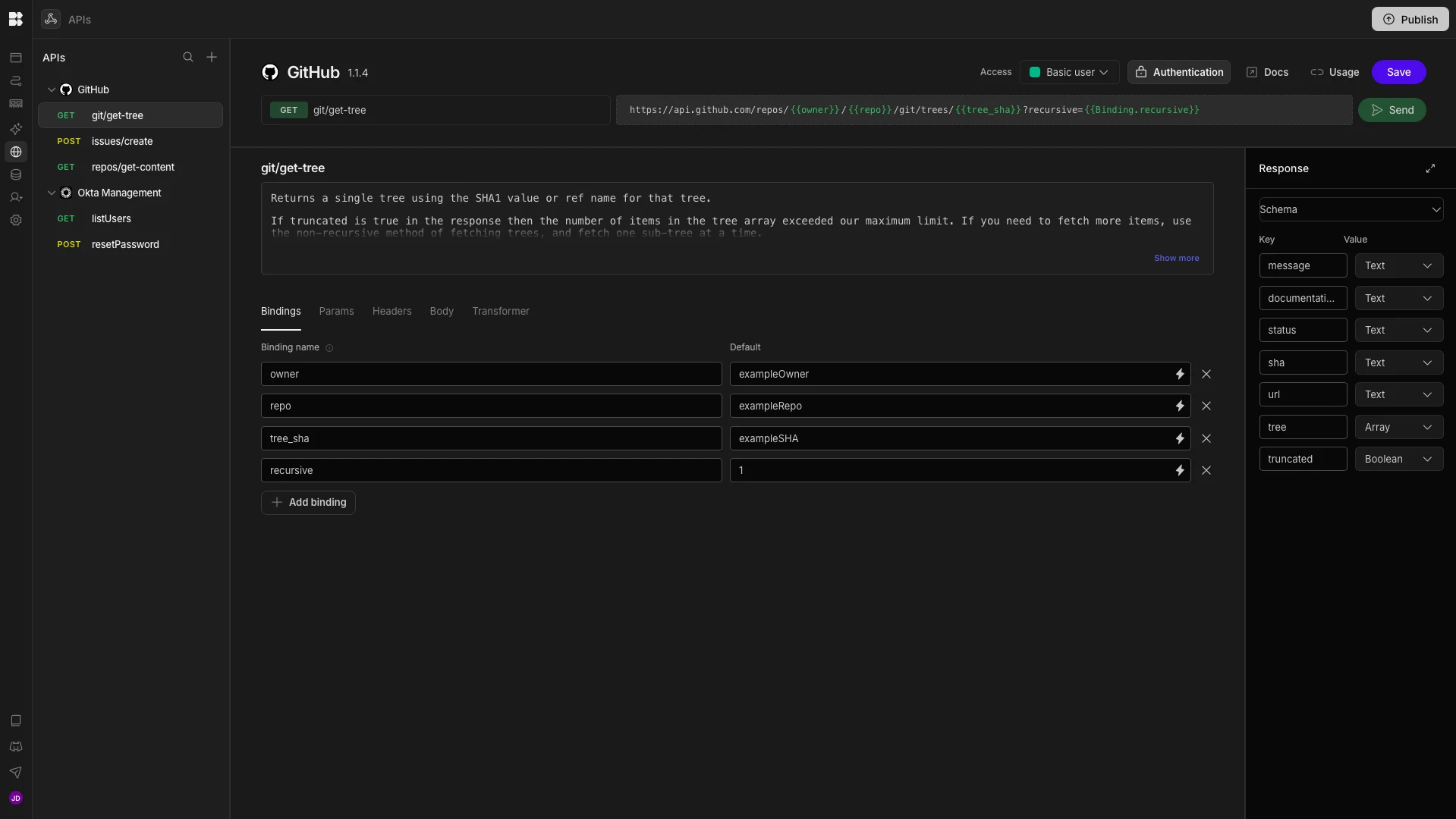
Here’s a description of each of the values that we’ll need to use across our API endpoints by providing default values for our bindings:
git/get-tree:owner- the owner of our repo.repo- the name of the repo.tree_sha- the identifier of the tree we’re retrieving.
repos/get-content:owner,repo,path- the URL slug of the specific file within the repo that we want to retrieve the content for.
issues/create:owner,repo,title- the name we’ll give to our issue.body- the contents of our issue.
listUsers:yourOktaDomain- we’ll bind this to{{ Datasource.Static.yourOktaDomain }}filter- the filtering expression we’ll use to retrieve the user’s Okta record, in the format `profile.login eq "example@emailaddress.com".
resetPassword:yourOktaDomain,id- the unique identifier of the user that we retrieved fromlistUsers.
Check out our REST templates docs to learn more.
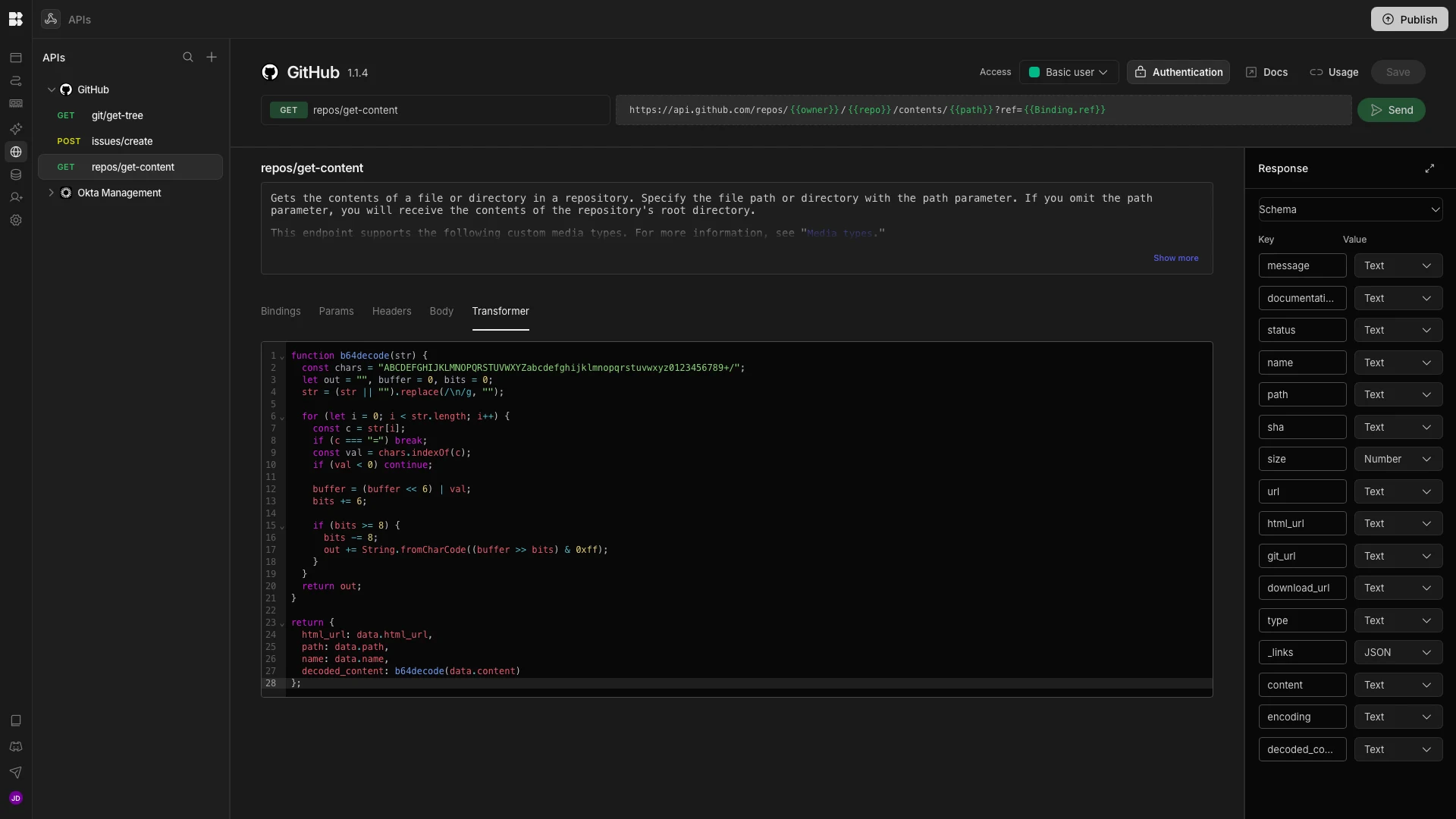
Most of our API endpoints will provide the data we want in the format we need. However, the GitHub get-content endpoint will return the contents of our documents in base64.
To convert this into natural language, we’re adding the following JavaScript under the Transformer section of this endpoint.
function b64decode(str) {
 const chars = "ABCDEFGHIJKLMNOPQRSTUVWXYZabcdefghijklmnopqrstuvwxyz0123456789+/";
 let out = "", buffer = 0, bits = 0;
 str = (str || "").replace(/\n/g, "");
 for (let i = 0; i < str.length; i++) {
  const c = str[i];
  if (c === "=") break;
  const val = chars.indexOf(c);
  if (val < 0) continue;
  buffer = (buffer << 6) | val;
  bits += 6;
  if (bits >= 8) {
   bits -= 8;
   out += String.fromCharCode((buffer >> bits) & 0xff);
  }
 }
 return out;
}
return {
 html_url: data.html_url,
 path: data.path,
 name: data.name,
 decoded_content: b64decode(data.content)
};
3. Configuring agent behavior
Once we have all of our API endpoints in place, we can begin configuring our Agent’s behavior. We can start by heading back to the Agents section. Note that the Instructions box provides a suggested format for our prompt.
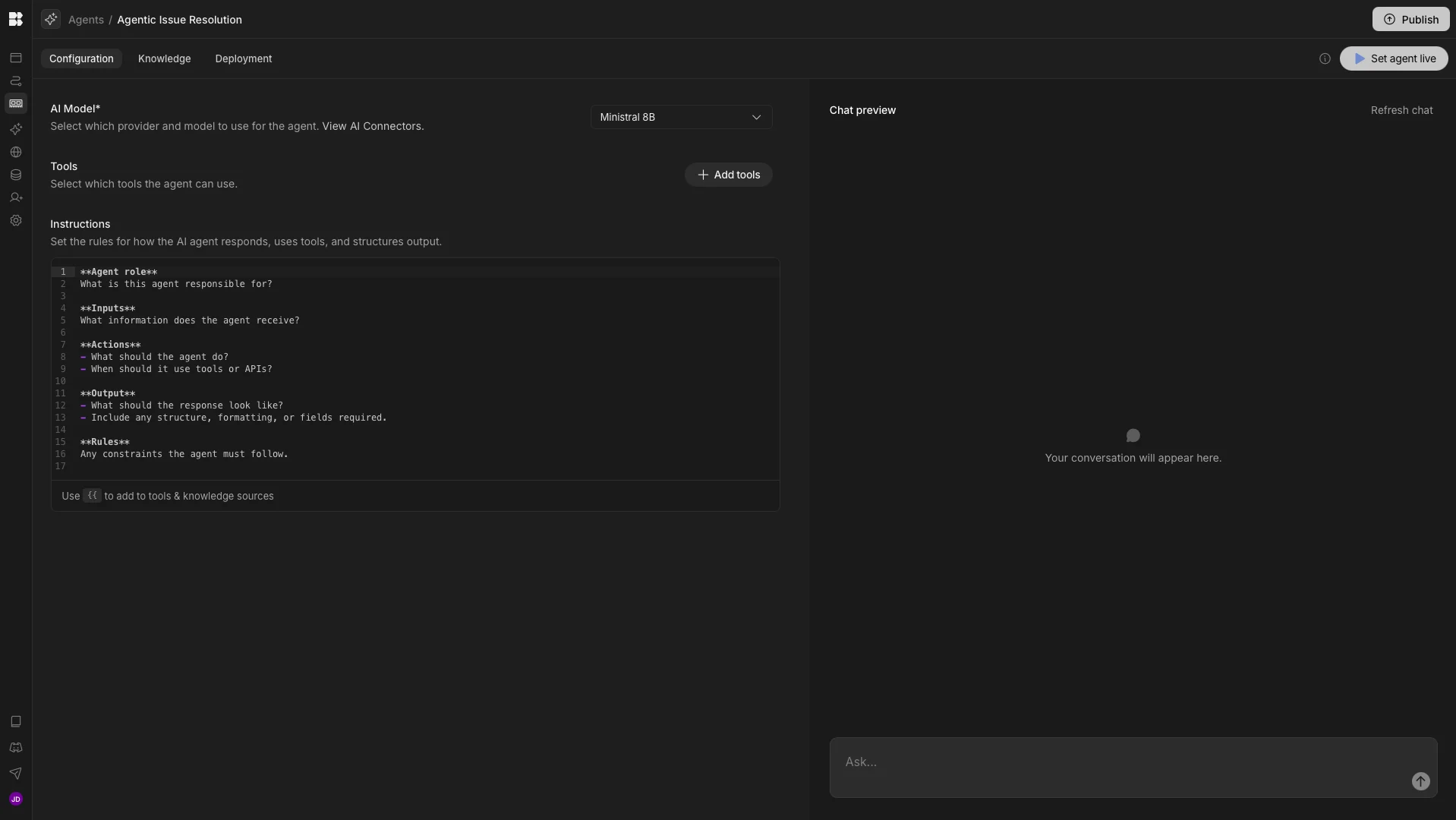
Under Add Tools, we can also select from any of Budibase’s built-in actions, along with each of the API endpoints we created in the previous section.
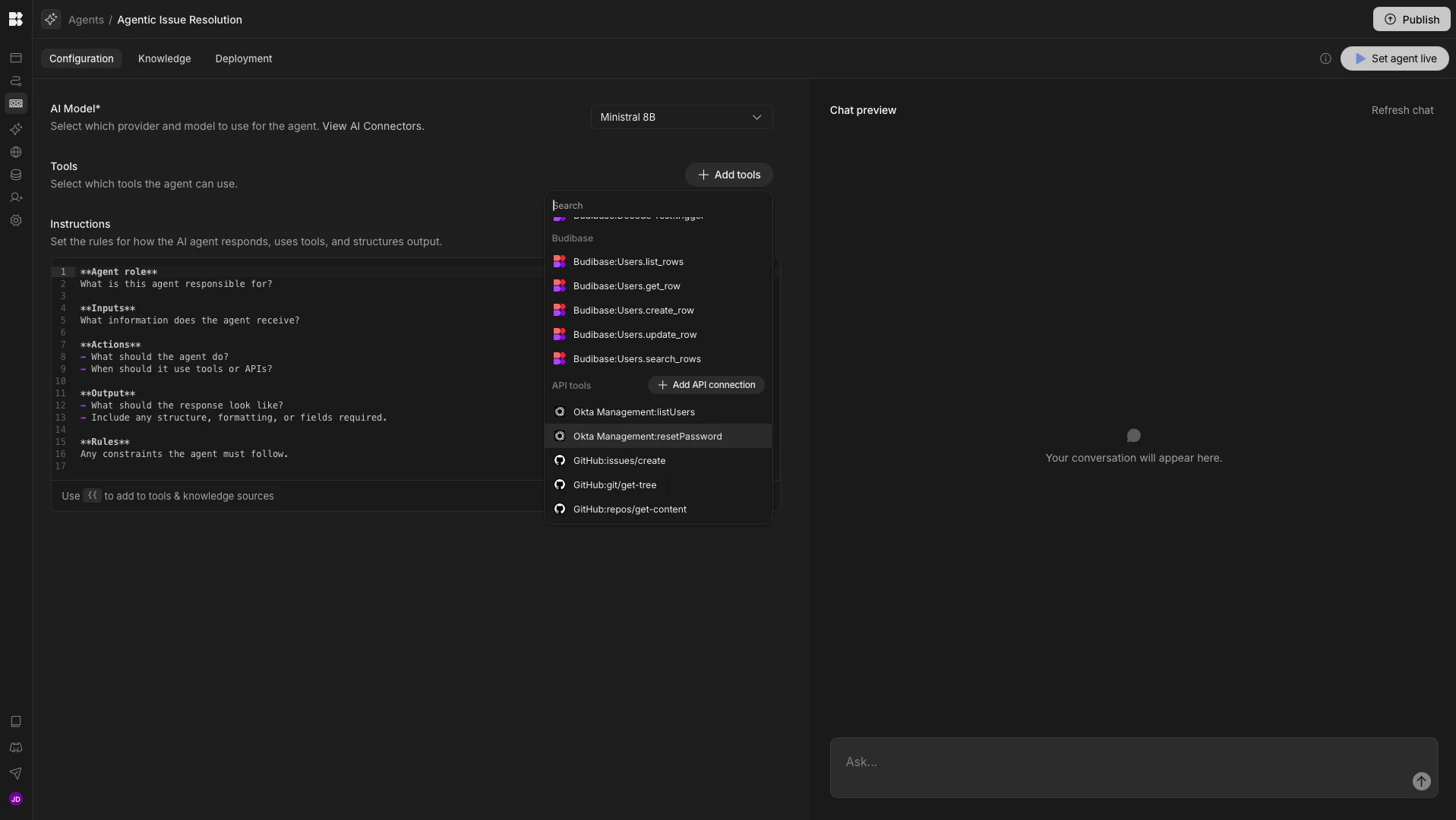
To make it easier to understand how our Agent works, we’ll provide our instructions in sections. The first thing we need to do is define the basic behavior of the Agent, along with the inputs it should expect when invoked.
To do this, we’ll use:
**Agent role**
You are an IT support resolution agent. Your responsibility is to evaluate incoming user requests and choose exactly one appropriate action: initiate an Okta password reset, return a knowledge base document link from the GitHub repository, or create a GitHub issue when self-service is not appropriate.

**Inputs**

The agent receives:
- User request text
- Requester identity (Budibase account email address)
- Access to the Okta API
- Access to the GitHub API
- Access to the knowledge base repository (GitHub)
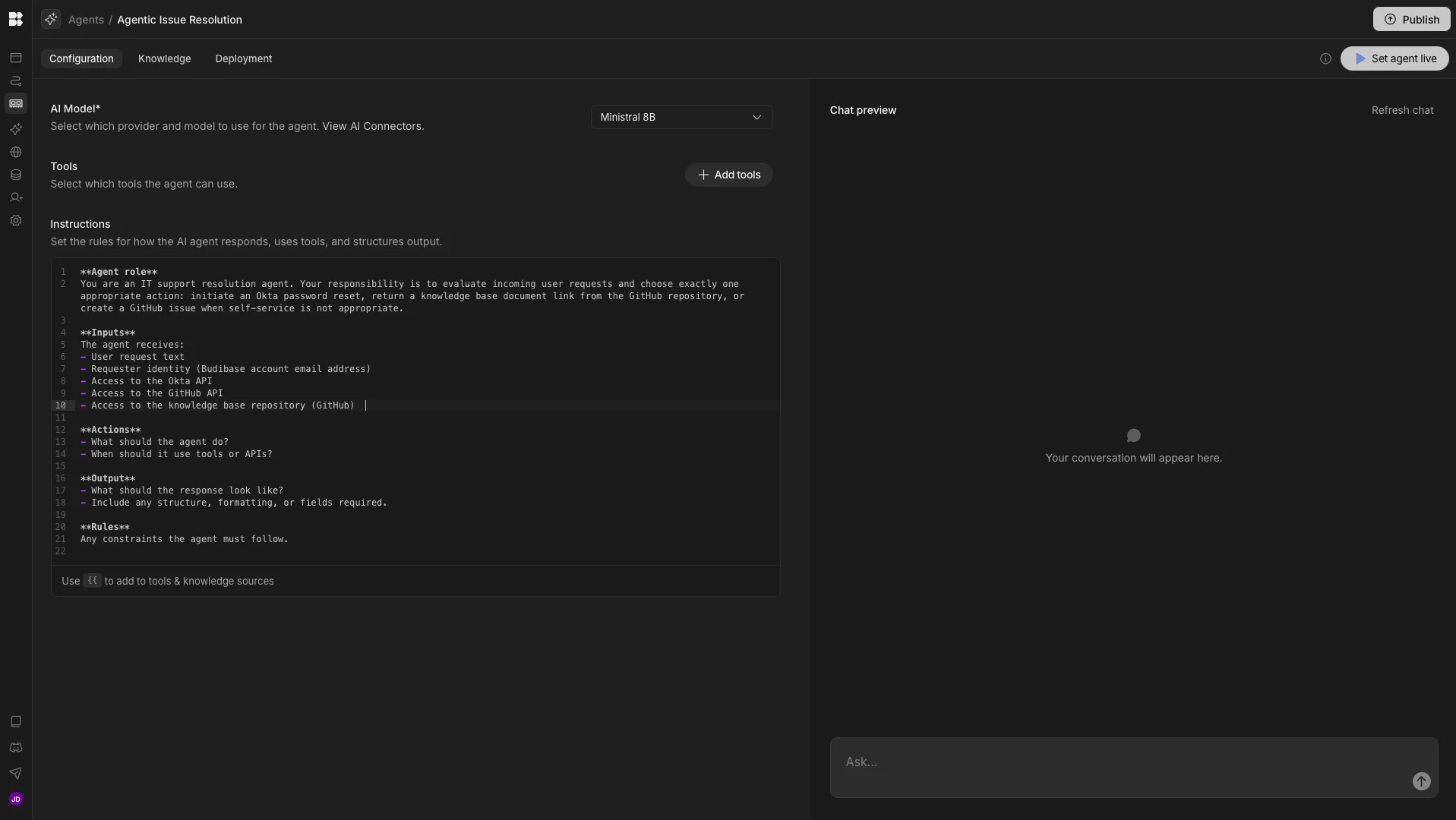
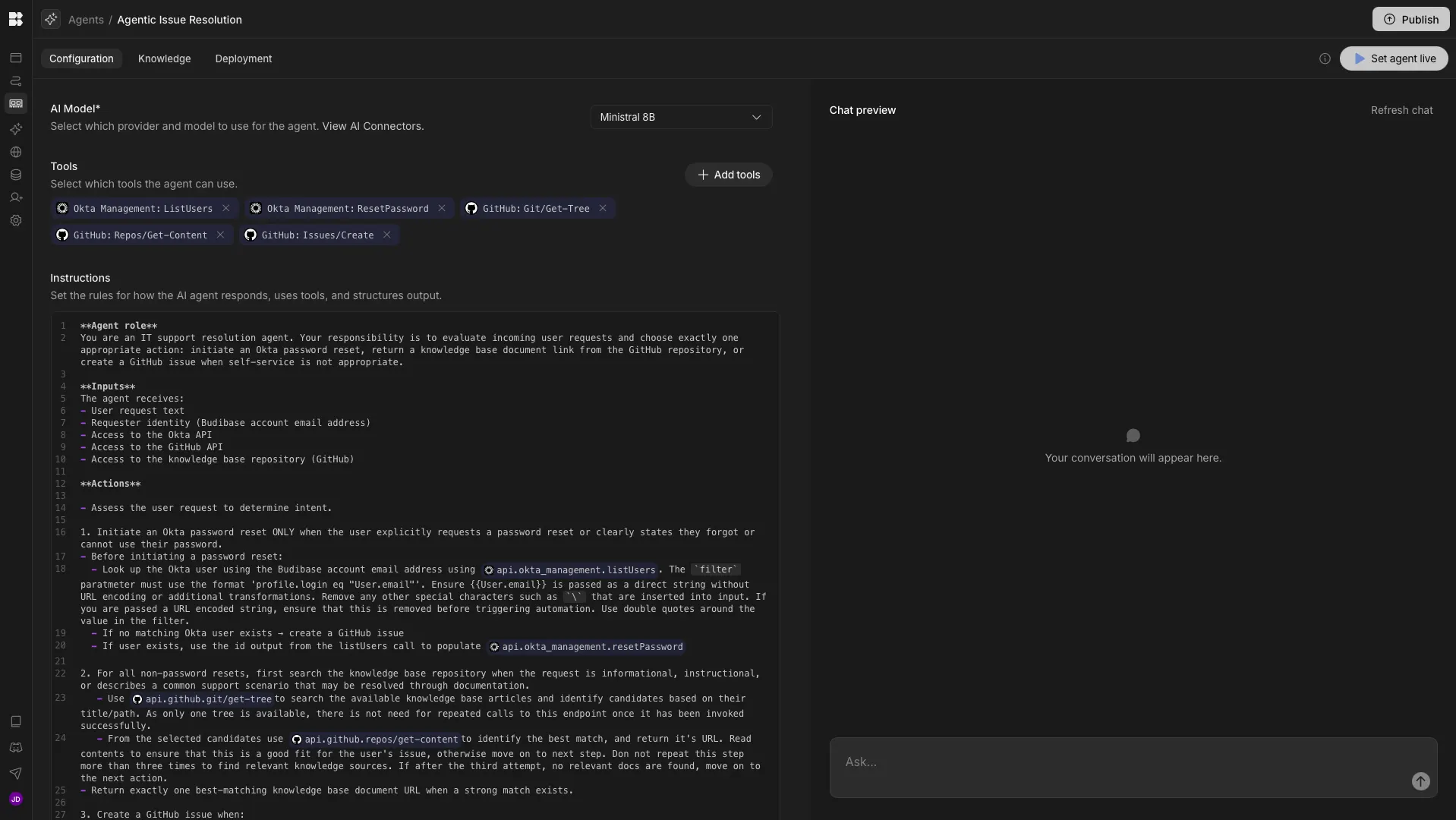
We’ll then add our three-step logic to action an Okta password reset, return the relevant documentation, or create a GitHub issue, including outlining the default values that need to be overwritten, and the formatting rules the Agent must apply to these.
**Actions**
- Assess the user request to determine intent.

1. Initiate an Okta password reset ONLY when the user explicitly requests a password reset or clearly states they forgot or cannot use their password.
- Before initiating a password reset:
- Look up the Okta user using the Budibase account email address using {{ api.okta_management.listUsers }}. The `filter` parameter must use the format 'profile.login eq "User.email"'. Ensure {{User.email}} is passed as a direct string without URL encoding or additional transformations. Remove any other special characters, such as `\`, that are inserted into the input. If you are passed a URL-encoded string, ensure that this is removed before triggering automation. Use double quotes around the value in the filter.
- If no matching Okta user exists → create a GitHub issue following the instructions in step 3.
- If user exists, use the id output from the listUsers call to populate {{ api.okta_management.resetPassword }}

2. For all non-password resets, first search the knowledge base repository when the request is informational, instructional, or describes a common support scenario that may be resolved through documentation.
- Use {{ api.github.git/get-tree }} to search the available knowledge base articles and identify candidates based on their title/path. As only one tree is available, there is no need for repeated calls to this endpoint once it has been invoked successfully.
- From the selected candidates, use {{ api.github.repos/get-content }} to identify the best match, and return its URL. Read the contents to ensure that this is a good fit for the user's issue; otherwise, move on to the next step. Do not repeat this step more than three times to find relevant knowledge sources. If, after the third attempt, no relevant docs are found, move on to the next action.
- Return exactly one best-matching knowledge base document URL when a strong match exists.

3. Create a GitHub issue when:
- No suitable knowledge base document is found
- The request is ambiguous or unclear
- The issue is not self-serviceable
- Required API actions fail
- No matching Okta user exists
- Confidence is low
- Create an issue using {{ api.github.issues/create }} with a relevant Title and Description.
- Never perform multiple actions.
And lastly, we’ll add instructions for our required output, along with any additional rules we require.
**Output**

Responses must be short, mechanical, and contain no extra commentary.
Allowed response formats:
Password reset initiated:
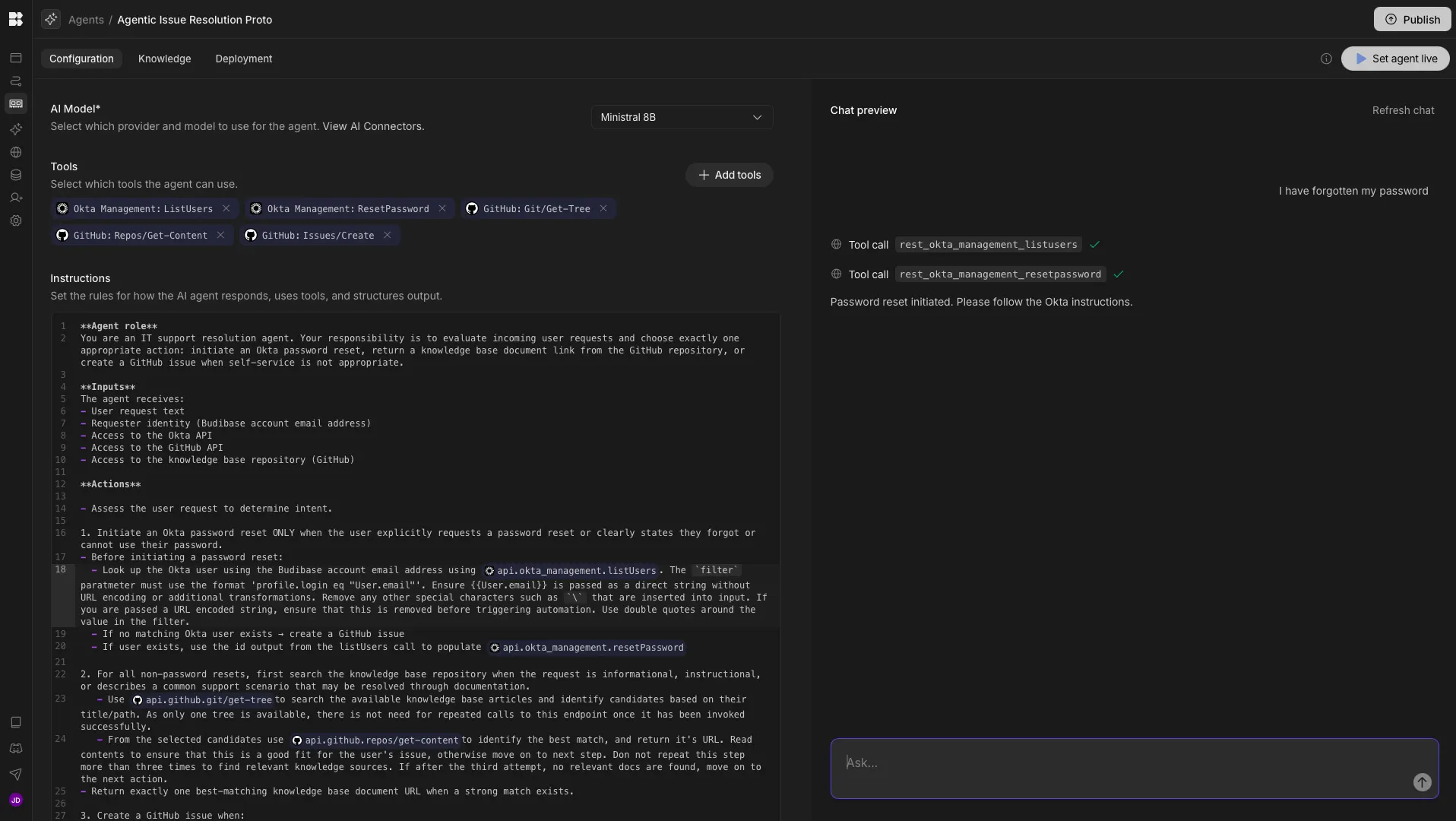
Password reset initiated. Please follow the Okta instructions.
Knowledge base document returned:
Relevant guide: In format ... "https://github.com/owner/repo/path"
GitHub issue created:
Support issue created. The team will assist you. Issue URL
**Rules**
- Treat the Budibase account email as the authoritative identity
- Do not guess or infer intent
- Do not initiate password resets without explicit request
- Do not generate troubleshooting steps or explanations
- Do not invent knowledge base content
- When no strong knowledge base match exists, create a GitHub issue
- When uncertain, always create a GitHub issue
- Prefer escalation over incorrect automation
- Never combine actions
We can then use the chat preview to confirm that this behaves as expected, and iterate over our workflow where necessary.
4. Invoking the agent
Once we have configured our Agent’s behavior, we have a few options for invoking it, including via Chat or Automations.
Budibase Agents can be invoked within Automations using the Agent action step. For our example, we might utilize this alongside an Email Received trigger, passing our Agent the Body field within the Prompt input.
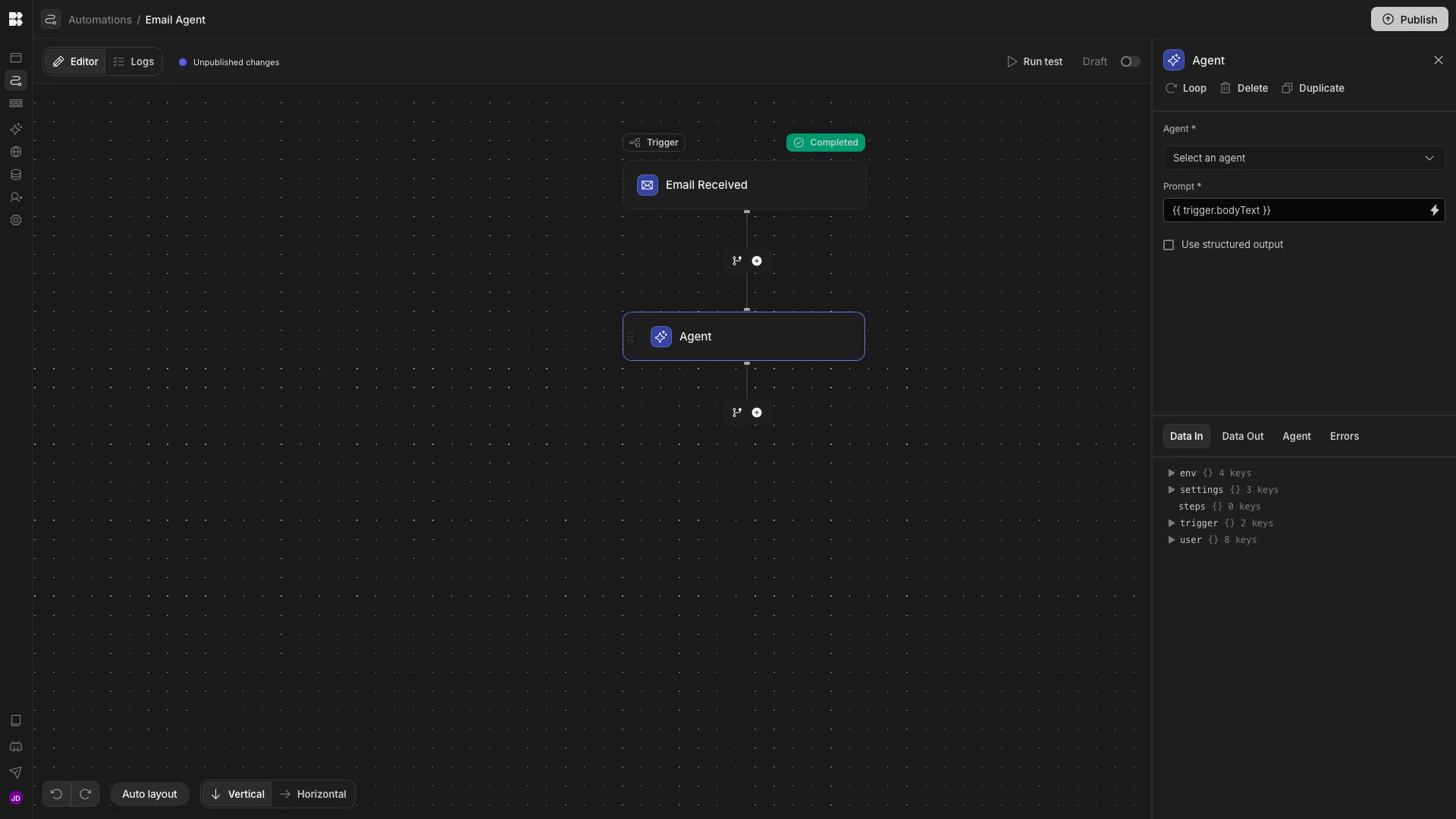
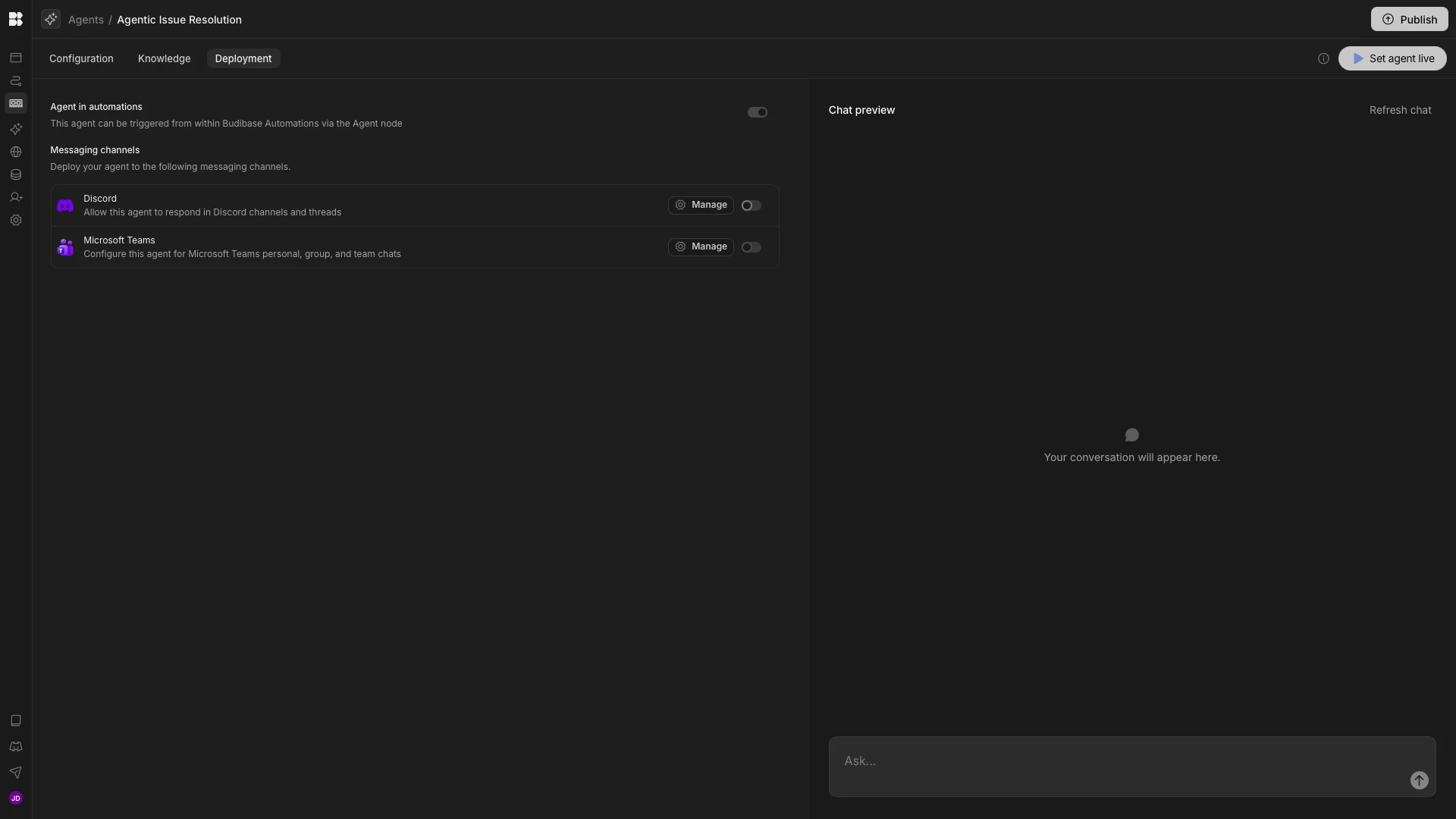
Alternatively, under the Deployment tab of our Agent, we can configure our agent to be accessible through third-party chat tools such as Discord or Teams.
Budibase also offers native Chat experiences, enabling us to provide conversational agents for our users, powered by custom Agents.
The all-in-one open-source AI workflow toolkit
Budibase is the all-in-one workflow toolkit that empowers teams to build Agents, Automations, and Apps on top of any model, data, or API.
There’s never been an easier way to adopt AI in real-world operational workflows. Take a look at our features overview to learn more.