What are AI Forms? + 10 AI Form Builders

AI forms are becoming an increasingly critical component within all sorts of workflows. After all, forms are some of the basic building blocks of how we empower users to interact with data and processes.
With the ever-growing prevalence of AI, it only stands to reason that form-building would be one of the areas that’s most impacted.
What’s tricky, though, is that the term AI form can refer to a few fairly different things, depending on context.
Of course, one important element of this is utilizing AI tools to help us output form UIs more quickly and easily, often from a single natural language input. This is the aspect that most standalone form-builders prioritize.
However, the term AI forms encompasses a wider range of solutions besides this, including traditional forms that trigger AI-powered processing downstream, as well as any form UIs that are relied on for human interaction within agentic workflows.
In this comprehensive guide, we’re diving deep into everything you need to know about what AI forms are, how they’re used, and how we can arrive at solutions that meet our specific requirements.
Specifically, we’ll be covering:
- What are AI forms?
- What’s behind the growth of AI forms
- How are AI forms being used?
- Tooling, solutions, and systems design for AI forms
- What to look for in an AI form builder
- 10 AI form builders for 2025
Let’s start with the basics.

What are AI forms?
As we said at the outset, AI forms can refer to a few distinct things in different contexts.
Broadly, though, what these have in common is that they involve utilizing LLM capabilities, either within the tooling we use to output forms or in the actual form solutions themselves. For example, using AI to provide feedback on users’ form inputs in real time.
To make things easier throughout the course of this guide, we’re going to be more careful with our terminology.
So, we can distinguish between AI-generated forms, as in tools that have been created using AI, and AI forms, in the true sense of being forms that themselves utilize AI.
These are the types of systems we’ll need to be aware of.
AI-generated forms
As we just alluded to, AI-generated forms are form UIs that have been created, at least in part, using AI.
Nowadays, most of the prominent form builder platforms offer form generation from natural language inputs. Others will allow us to generate form UIs from documents using optical character recognition (OCR).
For example, we could submit a prompt to create a Contact Us form, and the tool would output a working form, with an appropriate data schema, which we can further customize to our needs.
This is obviously incredibly convenient compared to building a form from scratch, whether using custom code or a visual development platform.
However, it’s not necessarily the appropriate option for using AI to output forms in all cases, especially as these types of form generators are typically highly opinionated.
So, if we have more advanced needs from a UI-perspective, for instance creating dynamic forms , we might utilize AI to create our data model, but use more traditional methods to build the form itself.
Alternatively, we might wish to use a specific existing data source and leverage AI to generate forms on top of this.
We’ll return to some of our options for both of these types of AI-generated forms a little later.
For now, the important thing to recognize is that the core goal of AI-generated forms generally is to expedite the process of creating custom code by reducing the amount that we need to build from scratch.
Triggering LLM operations on form submissions
An equally important type of AI form involves using form submissions to initiate some kind of AI processing downstream.
In other words, we collect form data as normal and then use this information to populate a predefined request for an LLM.
Depending on the complexity of what we’re building, this could mean:
- Populating specific variables within a pre-written prompt.
- Providing inputs for a deterministic automation rule that leverages an LLM for specific functions, such as translation or categorization.
- Sending instructions to non-deterministic or agentic AI workflows.
In each of these cases, however, the high-level goal is the same.
That is, we’re generally using AI to perform some of the follow-on actions from a form submission that we’d otherwise rely on human action or traditional workflow automation tools for.
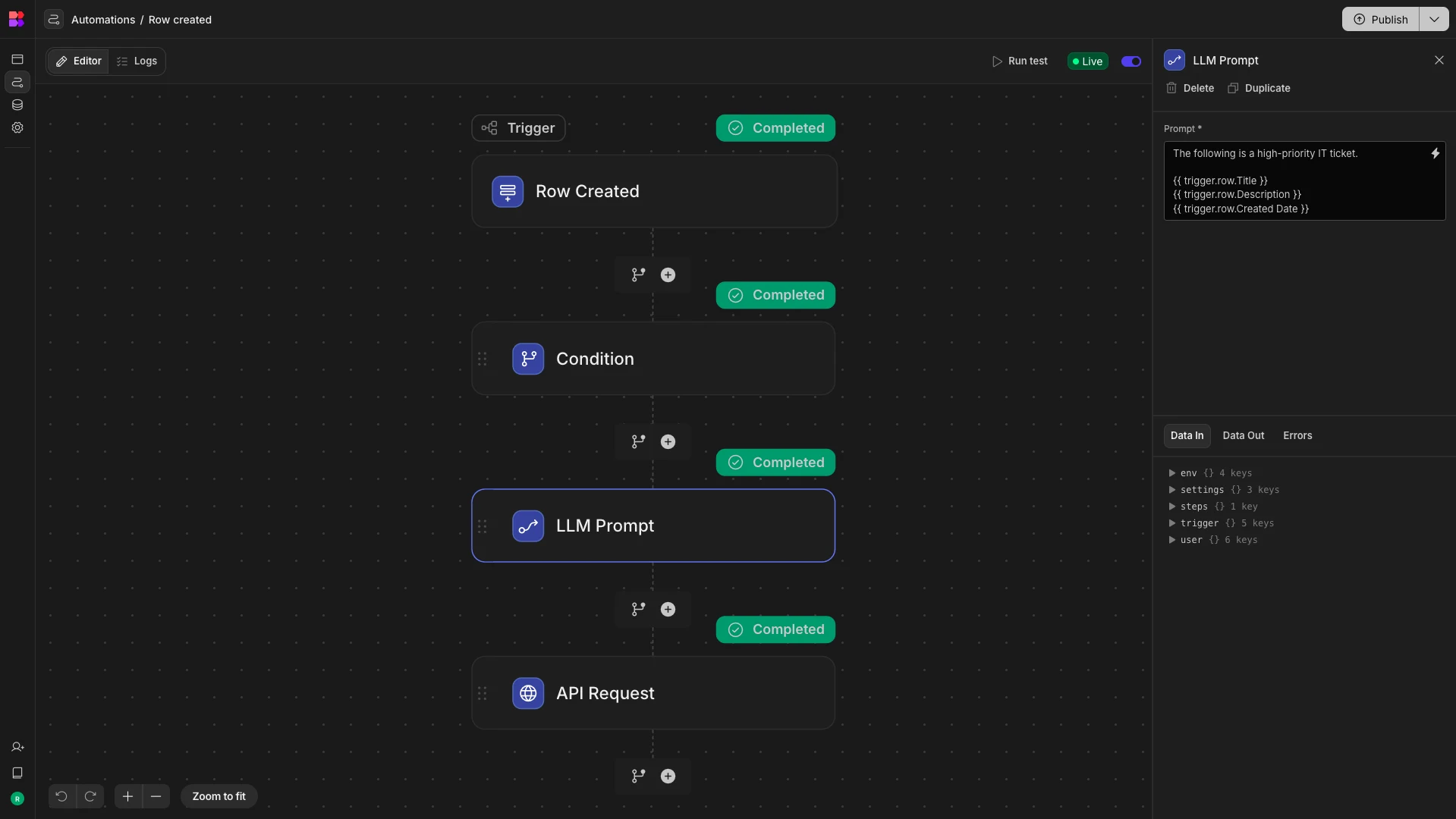
It’s not necessarily important whether the form itself is AI-generated or built manually.
Instead, what matters is that our forms are able to interact with the specific AI tools we need them to, whether this is connecting to a workflow automation platform, directly to an LLM, or to an agentic framework.
Forms within AI-powered workflows
Lastly, an important emerging use case is empowering autonomous AI systems to generate appropriate forms when they need structured inputs, as part of a human-in-the-loop workflow.
Essentially, this is a type of tool calling , where we empower AI agents with the ability to generate forms as a callable function.
This might rely on an API integration with a dedicated form builder, or it’s also something that certain AI agent platforms are capable of natively.
In either case, the bigger challenge is for the AI system to determine that it needs human input and to define the required schema for this.
Besides this, all that’s important is that the specific forms meet our wider needs, in terms of functional requirements and design standards.
So, what specific instances are AI-generated forms for human-in-the-loop workflows most helpful?
Often, this relates to AI agent use cases where there are multiple valid routes forward within a given execution, and the agent therefore needs further information in order to decide how to proceed.
Or, forms could be used to seek approval for identified actions from human users.
For instance, both are common within IT support and ticketing workflows.
Similarly, an agent might determine that it needs to poll other users for information, rather than the colleague who initiated the execution.
Or, in just about any kind of agentic workflow, the system might need to seek clarification or additional information before it can proceed, which AI-generated forms are a helpful way of facilitating.
What is behind the growth of AI forms?
Now that we have a strong grasp of what AI forms are and some of the specific configurations of these that we might want to opt for, it’s worth thinking in more detail about some of the practical reasons that their popularity has exploded in recent years.
Of course, one important element of this is changing technology. That is, part of the reason for AI forms’ increasing popularity is simply that AI in general has rapidly become more accessible and effective.
But, besides this, it’s important for us to be aware of the specific benefits and challenges of working with the kinds of AI forms we described in the previous section.
Benefits
First, let’s think about the advantages. This is a bit different in the case of true AI forms compared to AI-generated forms, although there is still a lot of overlap.
We’ll take AI-generated forms first, since these are a little easier to grasp. The main benefit here is enabling us to output custom forms more quickly and easily. Ultimately, this means saving time and money on outputting forms.
So, rather than coming up with a schema for ourselves and then using either code-based or low-code tools to build a form UI, we can simply get an AI tool to do this based on a natural language input.
Generally, the output is still customizable, although this will obviously be easier somewhat within a visual form builder, compared to a more feature-rich coding agent, like Cursor or Claude Code.
While AI might output a form that we’re 100% happy with, it’s better to think about the goal as being to get us the majority of the way there. That is, we might still want to make tweaks to our schema or design.
For forms that interact with AI systems and LLM-powered automations, the benefits are slightly different. However, this still largely comes down to efficiency and cost-effectiveness.
Essentially, we can tie this to the broader benefits of implementing AI within workflows, as forms are simply one way to implement this.
This includes reducing costs by lowering the need for human actions within workflows, as well as expanding the scope of tasks that can be automated, compared to strictly deterministic workflow automations.
Take a look at our guide to AI agentic workflows to learn more about this latter point.
We can also consider the benefits of working with forms within AI workflows, compared to other kinds of UIs - in particular, chat interfaces.
The big benefit of AI forms in this respect is enabling us to gather structured data. This is obviously helpful in situations where we have more specific information requirements within AI workflows, including when we need similar information from multiple users.
On top of this, AI forms can offer better auditability and oversight compared to unstructured interfaces, in the sense that we can more easily identify the specific values that were passed to an LLM after the fact.
Challenges
However, it’s also important to be realistic that both of the clusters of AI forms that we identified earlier bring along unique challenges and drawbacks.
One issue with AI form builders that we hinted at earlier is that, unless we have quite generic needs, we’re unlikely to get the exact form we want on the first pass, especially with regard to its schema.
Of course, we can tweak this, or many tools will allow us to list the fields we want as part of our prompt, but at this point, it becomes questionable whether this is actually faster or easier than defining a schema ourselves within a no/low-code tool.
So, for more advanced use cases or situations where we already have a well-defined data model in mind, AI-generated forms might not offer us as much benefit.
The challenges of working with other types of AI forms are a bit more diffuse.
The biggest difficulty, though, comes down to tooling and architecture. AI workflow management is a rapidly evolving field. This means that there are a huge number of platforms and frameworks that we might rely on for LLM-powered automations.
Even individual teams can rely on multiple vendors to power AI workflows. Naturally, this can create difficulties in terms of compatibility with traditional form builders. So, if we want to go down this route, we’ll need to closely consider our integration needs.
This applies both to triggering AI workflows on form submissions and to facilitating tool calls directed at a form builder tool.
An alternative option that we hinted at earlier is using the built-in forms capabilities that are offered by some AI workflow tools. However, we’ll return to specific tooling and solutions for AI forms in more depth a little later.
How are AI forms being used?
In the meantime, we can shift our attention to some of the concrete situations and use cases where AI forms are most beneficial.
We can think about this from a couple of distinct angles. These are the specific use cases and the types of users that different types of AI forms can target.
Key use cases
Again, the picture here is a little bit different across AI-generated forms and other types of AI forms, so we can consider each of these in turn.
AI-generated forms are an attractive option in situations where we need to create large numbers of forms quickly and without extensive development resources, but aren’t necessarily strict on their exact data schemas.
Often, this is within teams such as sales, marketing, product, or other customer-facing contexts.
For instance, these types of form builders are particularly popular for use cases such as surveys, intake forms, lead magnets, quizzes, and other use cases that are primarily centered on data collection, rather than tightly structured follow-on processes.
By contrast, they’ll be less suitable in situations where we already have a strict data schema in mind that we need to adhere to.
Key use cases for forms that interact with AI workflows can be more varied - whether we’re using a form submission as a trigger or a feedback mechanism mid-execution.
Again, a helpful way to think about this is by contrasting with the main alternative - interacting with AI systems via a chat UI. In other words, what kind of AI use cases benefit most from structured inputs, rather than natural language ones.
Internal services workflows, including within IT, HR, or finance teams, are often the best examples of this, especially where these take the form of request and approval flows. For instance, submitting change requests or onboarding new employees.
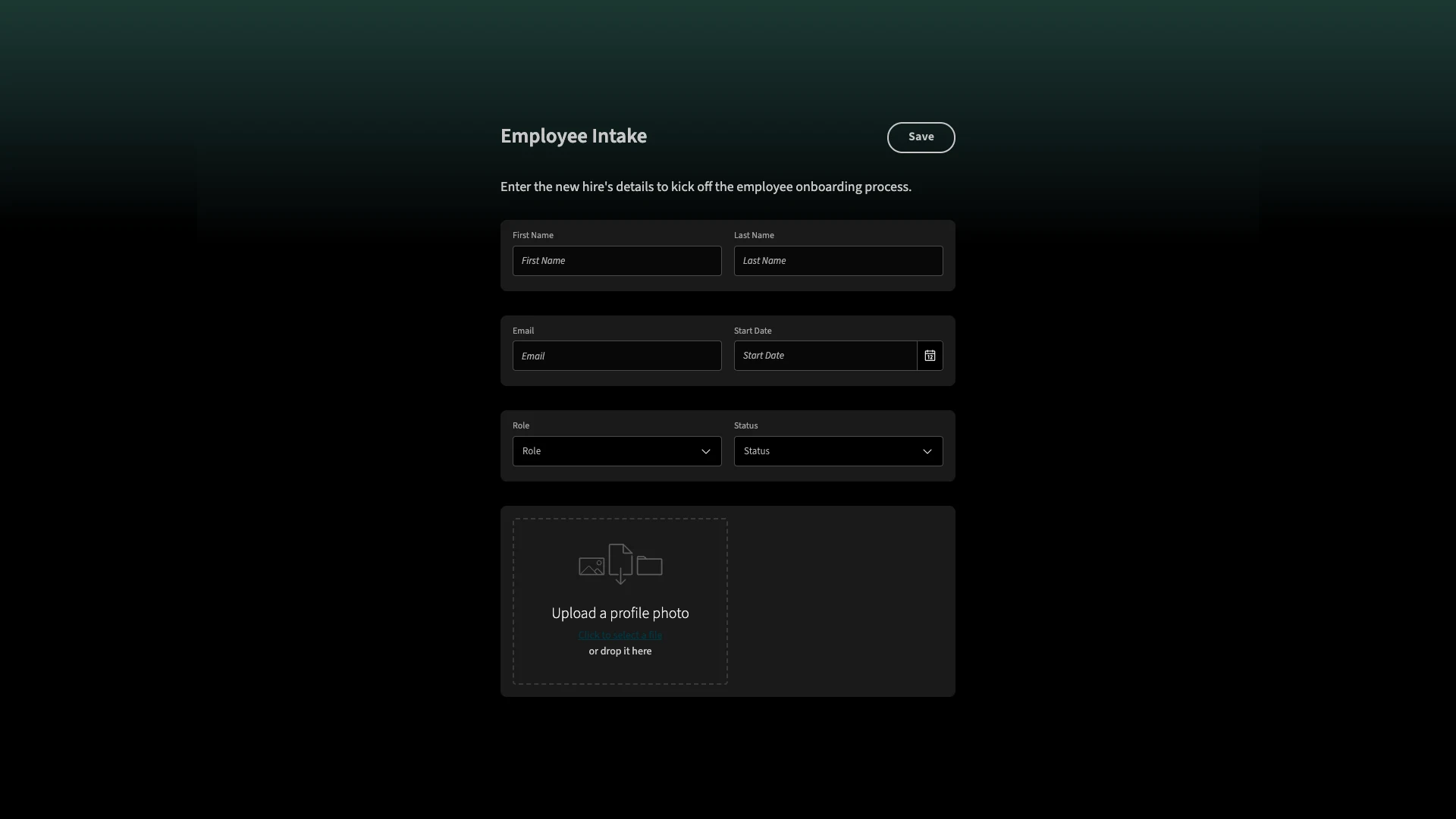
This can be contrasted with more open-ended agentic workflows, where the specific information we need is more variable, and so a chat UI could be more suitable.
User personas
Typical user personas are one area where our two different categories of AI forms differ more substantially.
AI form generators are largely aimed at less technical colleagues. After all, the idea is to eliminate the skills barrier required to output forms. This makes it a great fit for teams in non-IT departments, such as HR, sales, marketing, customer success, and others.
In some situations, more technical colleagues can benefit too. That is, IT colleagues can still save time with AI-generated forms, but the use cases for this might be more limited.
As such, IT teams will typically benefit more from some of the more advanced approaches to form generation that we hinted at earlier, including more in-depth coding agents or low-code tools like Budibase that allow us to generate forms on top of existing databases.
We can also consider the kinds of users that typically create forms that interact with AI workflows and processes.
An important thing to note here, though, is that this can be somewhat more varied.
There are two interrelated reasons for this. First, these kinds of solutions can vary massively in terms of complexity. Second, the market for AI workflow automation tools is itself wildly varied, with vendors targeting solutions at a range of different skill levels.
As we’ll see in the following section, this ranges from accessible no-code solutions that are accessible to non-technical colleagues to code-centric frameworks that require specialist development skills.
Tooling, solutions, and systems design for AI forms
Now that we have a full picture of how AI forms are used and the benefits that they offer, we can start drilling into the specific tools and capabilities that we’ll need in order to output solutions of our own.
Naturally, this can look quite a bit different, depending on which of the different classes of AI forms that we’ve seen before that we opt for. Even within this, there’s variation in terms of the complexity of the solutions we can build.
So, we’ll break this down into a few familiar categories.
AI form builders
AI form generators are typically fairly self-contained, in the sense that they’re ready-to-use solutions for outputting working forms from natural language inputs.
This means that, compared to other types of AI forms, we’re more concerned with choosing the tool that’s right for our needs, rather than building out functionality for ourselves.
At a very high level, there are two key functional considerations here.
The first is the extent of flexibility and customization that’s on offer after we’ve generated a form with AI. So, most AI form generators are offered as part of a wider no/low-code form builder platform.
The question, therefore, is which of these platforms is most suitable for our needs in terms of design, customization, and other required functionality.
The second important consideration here is integration options, including connecting to any data sources, APIs, SaaS tools, or other platforms we might want to integrate with.
We’ll discuss these types of solutions in more detail a little later, including checking out some of the most prominent AI form builders on the market today.
Other AI-coding solutions
We’ve already hinted at a different approach to AI form generation without considering it in great detail. That is utilizing AI to generate individual elements of our form rather than a wholesale solution, as we would with an AI form builder.
There are essentially two configurations of this, each with its own distinct goals, use cases, and required tooling.
First, we might want to use AI to create form UIs on top of an existing database. For example, if we already have a SQL database that we want to build a data collection form for.
It’s worth noting that the situations where using AI to do this can be quite limited, as modern low-code platforms such as Budibase can simply output working form UIs based on the schemas of connected data sources, with a high level of customization.
However, we may wish to utilize an coding agent instead of an AI form builder to create custom form UIs for existing data in certain fringe cases where we need the flexibility of custom code, but are constrained by time or other development resources.
For example, if we need our forms to be written in a particular language or framework for maintainability or interoperability reasons.
Some of the specific coding agents we might rely on here include Claude Code, Cursor, GitHub CoPilot, and more.
The more common option is using AI to generate a data model for our forms, before using other techniques, such as low-code development to build our UIs. The goal here is to greatly reduce time spent on boilerplate development tasks. At the same time, this approach typically offers considerably greater customization options when we create AI-powered forms.
For example, Budibase offers us the ability to generate fully functional relational data schemas within our built-in database, based on natural language prompts. We can then autogenerate highly customizable UIs, as we would with any other data source - leading to truly custom forms that leverage AI within workflows.
AI-powered processing on form submissions
Using form submissions to trigger AI-powered processes is a more complex question from the point of view of systems design.
So, depending on the complexity of our desired solution and our own level of technical expertise, there are a few different configurations we could opt for here.
Before we get to tooling, though, it’s helpful to think about the components we’ll need in more generic terms.
At the most basic level, this type of AI form works by enabling users to submit values, which are then populated as dynamic variables in a pre-constructed LLM prompt.
Therefore, the basic building blocks of this are:
- Our form UI,
- A process layer capable of populating and sending an API request.
- An LLM that’s suitable for the task at hand.
In practice, though, these elements will normally be wrapped in additional tooling. For instance, we’d likely use a form builder tool that’s capable of handling the API request natively.
More importantly, we’ll often want to implement more complex logic than simply populating and sending a pre-defined prompt.
For example, wrapping this in deterministic logic so that a particular LLM operation is only triggered conditionally, or connecting our LLM to additional components, such as MCP servers, memory stores, or additional resources to facilitate autonomous actions.
In the case of the former, we, of course, have the option of handling this with custom code. More often, though, we’ll rely on some form of workflow automation tool, such as Zapier, n8n, or Budibase.
The goal here is to enable us to configure business logic visually, as well as to simplify the process of connecting forms to LLMs and other required componentry.
To connect to more advanced tools, including MCP servers or memory stores, we might instead opt for an AI agent framework . We’ll touch on this in a little more detail in the following section.
Dynamic form generation within agentic workflows
The last configuration of AI forms we need to understand involves enabling autonomous AI systems to create a form independently, when they determine that this is needed to progress a workflow.
This requires a few distinct capabilities. Firstly, we’ll need to expose the ability to output forms in a relevant platform to our system, using an MCP server or an API request as a callable function. We’ll also need to provide the system with context as to how and when this can be executed.
Additionally, in order to create a system that is able to reason independently, responding to context and feedback, we’ll need to facilitate both short-term and long-term memory.
As we noted a second ago, one of the options available to us here is utilizing an AI agent framework. These are reusable, code-centric tools that expedite the process of creating custom AI agents.
Alternatively, users with lower levels of technical skills might wish to opt for a low-code or open-source AI agent platform .
An increasing number of AI-powered automation tools also offer human-in-the-loop forms natively, which can be a strong option, although it’s worth noting that many of these will only support relatively basic forms, so we’ll need to choose carefully. That is, they may be able to create a form, but we might have limited customization options to tailor this to our needs.
What to look for in an AI form builder
Before we check out some of the specific platforms that are available on the market today, we’re going to outline some of the key decision points that we’re going to encounter along the way. In other words, what factors can we use to determine which platform best suits our needs?
As with any software procurement decision, this draws in a range of interrelated issues, including:
- Pricing - How much the platform will cost to use.
- License structure - The pricing model that this is based on, including any usage or feature restrictions across individual tiers.
- Design flexibility and customization - Our requirements around the form UIs we can create, for instance, adding custom code, building mobile-friendly forms, or utilizing conditionality rules.
- Data modelling requirements - Including in terms of our data schema and the specific database tools that underpin this.
- Data residency, security, and compliance - The specific security and compliance controls on offer, as well as our options around how and where our data is stored.
- Integration options - The extent to which an AI form builder can integrate with our wider tool stack.
- Automation tools - How easily we can implement automation logic based on form submissions, as well as the complexity of the solutions we can build.
- AI-specific considerations - Including flexibility around utilizing different LLMs, as well as working with custom prompts and operations.
- Enterprise functionality - Capabilities that are required in large organizations, such as SSO, self-hosting, air-gapped deployments, audit logs, and more.
The important thing to understand, however, is that the significance of each of these will vary from one team to the next. This can be informed by your target use cases, budget, user personas, and other factors.
So, when considering AI form builders, it’s crucial to have a clear picture of your own specific requirements in order to make an informed decision about which specific platform can offer the most value.
10 AI form builders for 2025
With a clear idea of the specific decision points we’re likely to encounter when comparing and contrasting AI form generators, we can begin to look at some of the most prominent platforms on the market today.
As there’s a decent amount of variation between these, in terms of their target usage and customers, we’ve chosen a range of platforms to represent the full scope of what’s out there.
Specifically, our picks are:
Let’s check each one out in turn.
1. Budibase
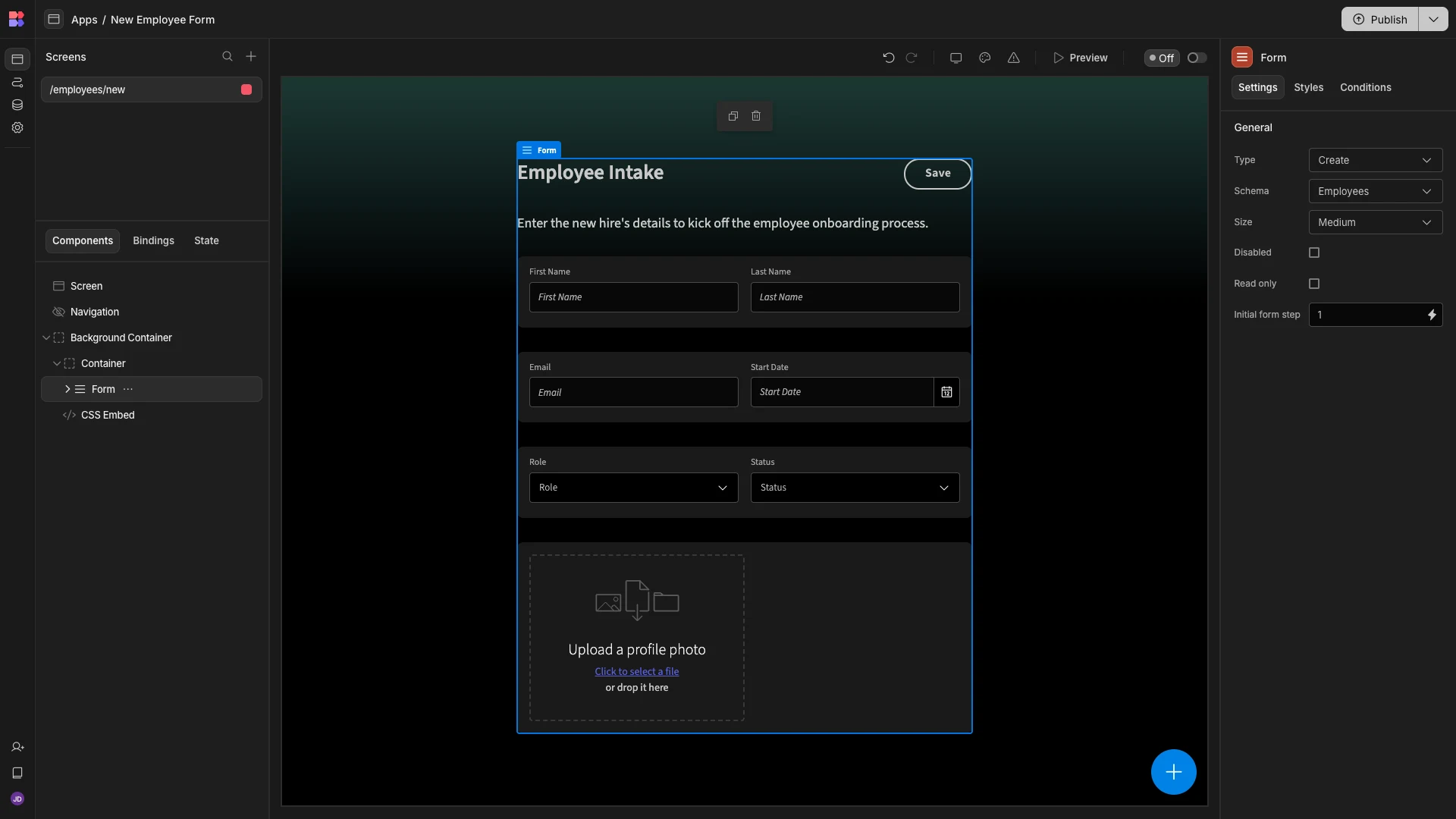
Budibase is the open-source, low-code platform that empowers IT teams to turn data into action. With leading external data support, highly customizable autogenerated UIs, and powerful AI-driven automations, it’s the perfect solution for advanced forms use cases.
Features
Budibase offers dedicated connectors for a huge range of RDBMSs, NoSQL tools, APIs, and more, alongside our built-in, low-code database, which supports CSV uploads, dedicated data types for LLM operations, and AI-generated schemas.
Once we’ve connected our data, Budibase can autogenerate fully working, highly customizable forms and CRUD UIs. The Budibase app builder offers extensive customization, including optional CSS and JavaScript, mobile-friendly designs, conditional UIs, and more.
Our visual automation builder is the perfect solution for triggering workflows on form submissions, including an extensive library of triggers and actions, LLM operations powered by a range of models, and looping and branching logic.
Check out our features overview to learn more.
Use cases
Our users choose Budibase for all kinds of advanced form use cases. In particular, it’s highly optimized for IT teams that need to build data collection UIs for request management, approval apps, ticketing systems, admin panels, CRUD operations, and more.
Budibase is also the clear choice for security-first teams. With free SSO, custom RBAC, optional self-hosting, air-gapped deployments, and more, Budibase gives teams full control over how and where their form data is stored and secured.
On top of this, Budibase is ideal for busy IT teams that need to output professional solutions, at speed, including multi-player collaboration and reusable data sources and automation rules within Workspaces.
Pricing
Budibase pricing is designed to scale. You can build as many applications as you want for free, for up to twenty users if you self-host. Our free plans even come with SSO for all users.
Paid plans start from $5 per month for end users and $50 for app creators. This also introduces custom branding, reusable code snippets, Budibase AI, creator access control, PDF generation, and more.
Custom enterprise licenses are available, with enforceable SSO, audit logs, PWA support, script injection, air-gapped deployments, and other enhancements for large organizations.
Take a look at our pricing page to find the Budibase plan that’s right for you.
2. JotForm
Next up, we have JotForm. As probably the best-known SaaS form builder on the market today, it’s a great choice for less technical colleagues that need to output professional forms and other data management UIs, with ease.
 (JotForm Website)
In the past couple of years, JotForm has also established itself as a leader for AI-powered form building. In particular, JotForm is an attractive offering for teams that need to generate forms, as well as performing more advanced AI functions.
As part of this, it offers an AI form generator, which can be accessed for free on the marketing site.
This performs well at understanding the context of the form we’re asking for and suggesting fields based on this. The form that’s created is largely unstyled, although it does place shorter text fields into columns.
In terms of AI, however, JotForm’s strengths are more apparent when it comes to follow-on workflows from form submissions. There are tools for creating apps, automations, AI-agents, and chatbots, positioning JotForm as a good fit for more complex form-building use cases.
You might like our round-up of the top JotForm alternatives .
3. TypeForm
TypeForm is another highly prominent form builder, which is particularly popular for multi-step, customer-facing use cases.
 (TypeForm Website)
Out of all of the big-name form builder tools, it’s also one of the more impressive offerings in terms of AI-assisted experiences. This includes an AI form generator that forms a fully integrated experience within the platform.
Notably, this offers specific prompt formats for different types of forms, as well as a more generalized option, helping to guide users through the process of providing relevant context to the model.
Besides this, TypeForm’s AI tools for building forms are extensive, including capabilities for matching design assets to your brand, optimizing content, and drawing qualitative and quantitative insights from submitted data.
On top of this, one of the platform’s most impressive features is Clarify AI, which can dynamically ask follow-up questions to open-ended questions, in order to guide end users to submit the precise information that we require.
4. Formstack
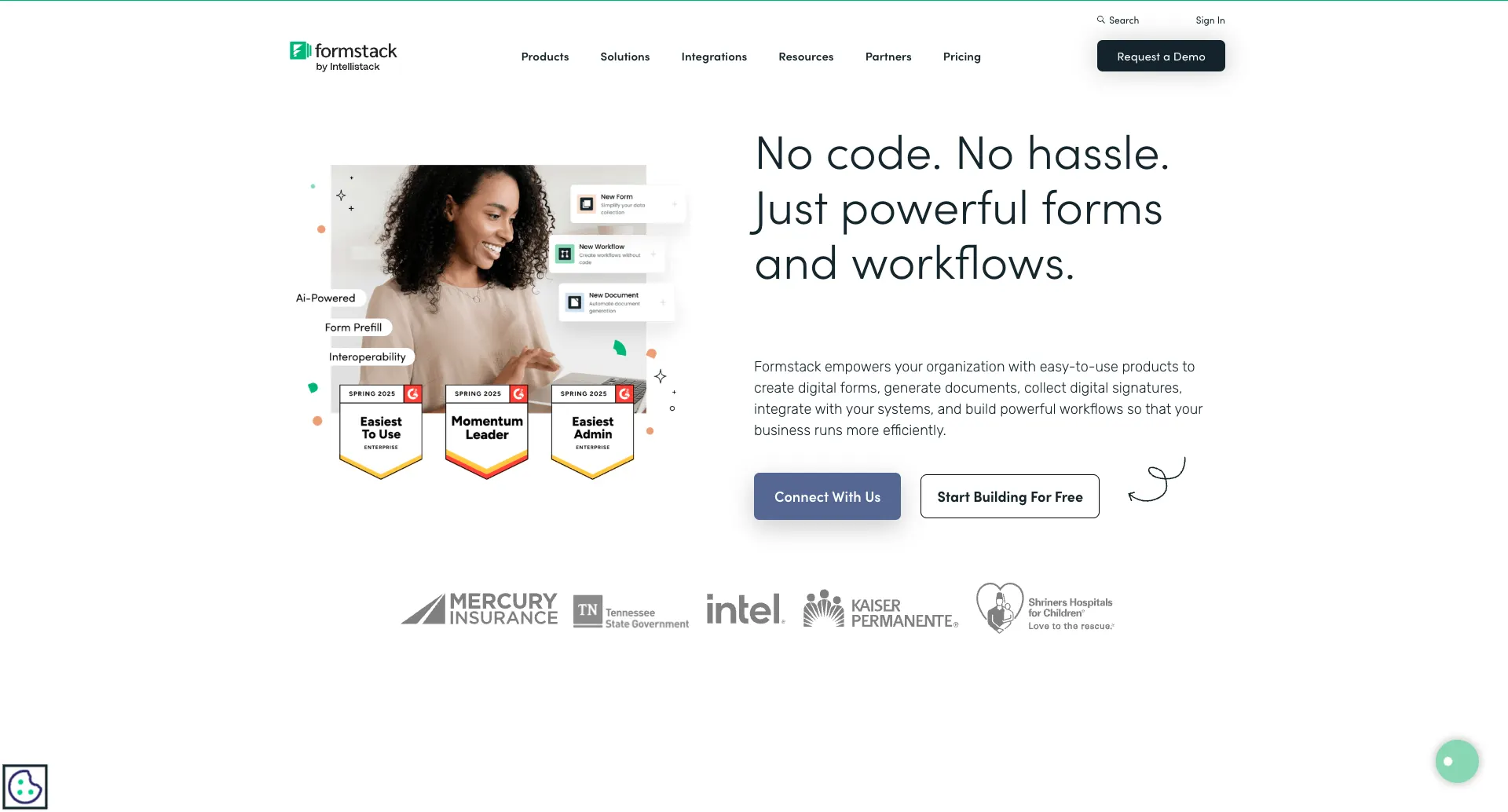 (FormStack Website)
Formstack is a no-code form builder and workflow platform, which is particularly well-suited to internal admin use cases, with a range of capabilities including document generation, electronic signatures, and more.
Like TypeForm, full AI generation is offered as a core experience within the platform. This is powered by Claude, offering a strong experience for outputting form drafts based on prompts describing the target workflow.
On top of this, Formstack also offers AI generation for fillable document templates.
So, compared to many other AI form builders, this means that Formstack is a particularly strong option for empowering non-technical colleagues to transform complex, document-focused workflows.
Formstack also offers AI-powered automation tools within the platform, opening it up to a wide range of use cases for handling processes based on form submissions.
5. Feathery
Feathery is a powerful, AI-driven form and workflow builder that’s specifically optimized for the financial services space.
 (Feathery Website)
Although it offers an effective AI form generator, which is accessible within the platform, choosing this option to create a form simply redirects to the embedded generator on the marketing site.
One particularly impressive aspect of Feathery’s AI form builder is its document extraction capabilities. With this, we can upload PDFs, and Feathery’s AI will convert them to forms to create fillable document templates.
Once we’ve generated a form, Feathery is also one of the most highly customizable form builder tools. There are extensive opportunities to use custom code within the platform, as well as API connectivity and JavaScript/React SDKs.
This makes it a highly powerful solution for technical teams, although this could be slightly constrained by its tighter focus on financial use cases.
6. Zoho Forms
Next, we have Zoho Forms. Part of the wider Zoho ecosystem, Forms is a powerful, intuitive form builder platform, suitable for teams of a range of different sizes.
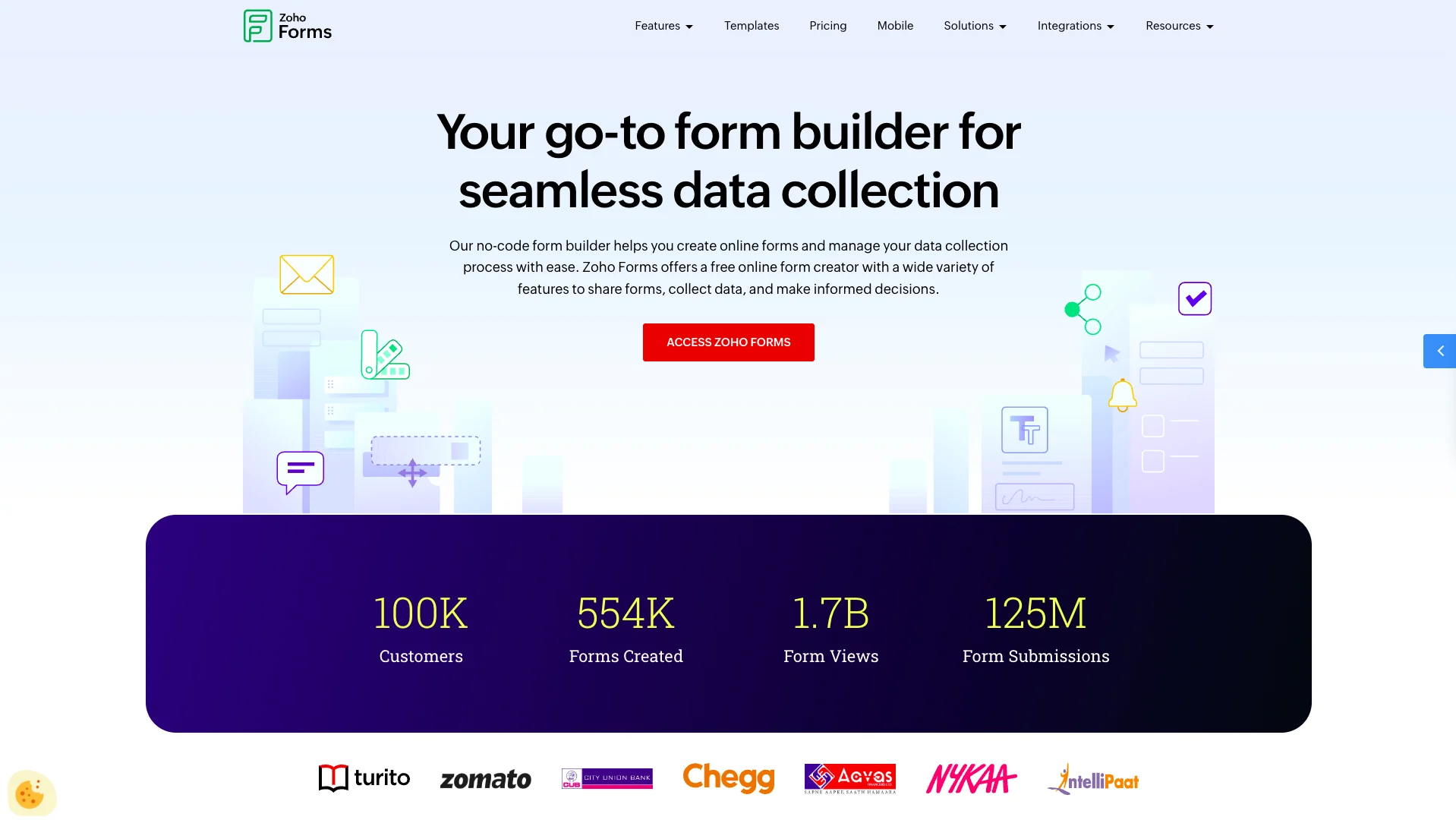
(Zoho Forms Website)
Like many off-the-shelf solutions, Zoho provides an AI form generator within its platform. This has a couple of nice quality of life enhancements, including the ability to select a content tone from a dropdown or adjust our initial description to regenerate a form.
Like Feathery, we can also generate form UIs based on uploaded PDFs, enabling us to use Zoho forms for dynamic document generation.
Zoho’s AI capabilities are powered by Zia, their built-in AI assistant. This facilitates a range of follow-on workflows from form submissions, including email content generation and AI-powered translation.
For more complex use cases, we can also use AI features across the wider ecosystem, including within the Zoho Creator app building platform.
7. Fillout
Next, we have Fillout. This is a comprehensive, flexible platform that enables us to build professional looking forms, alongside tools for scheduling, payments, PDFs, workflows, and signatures.
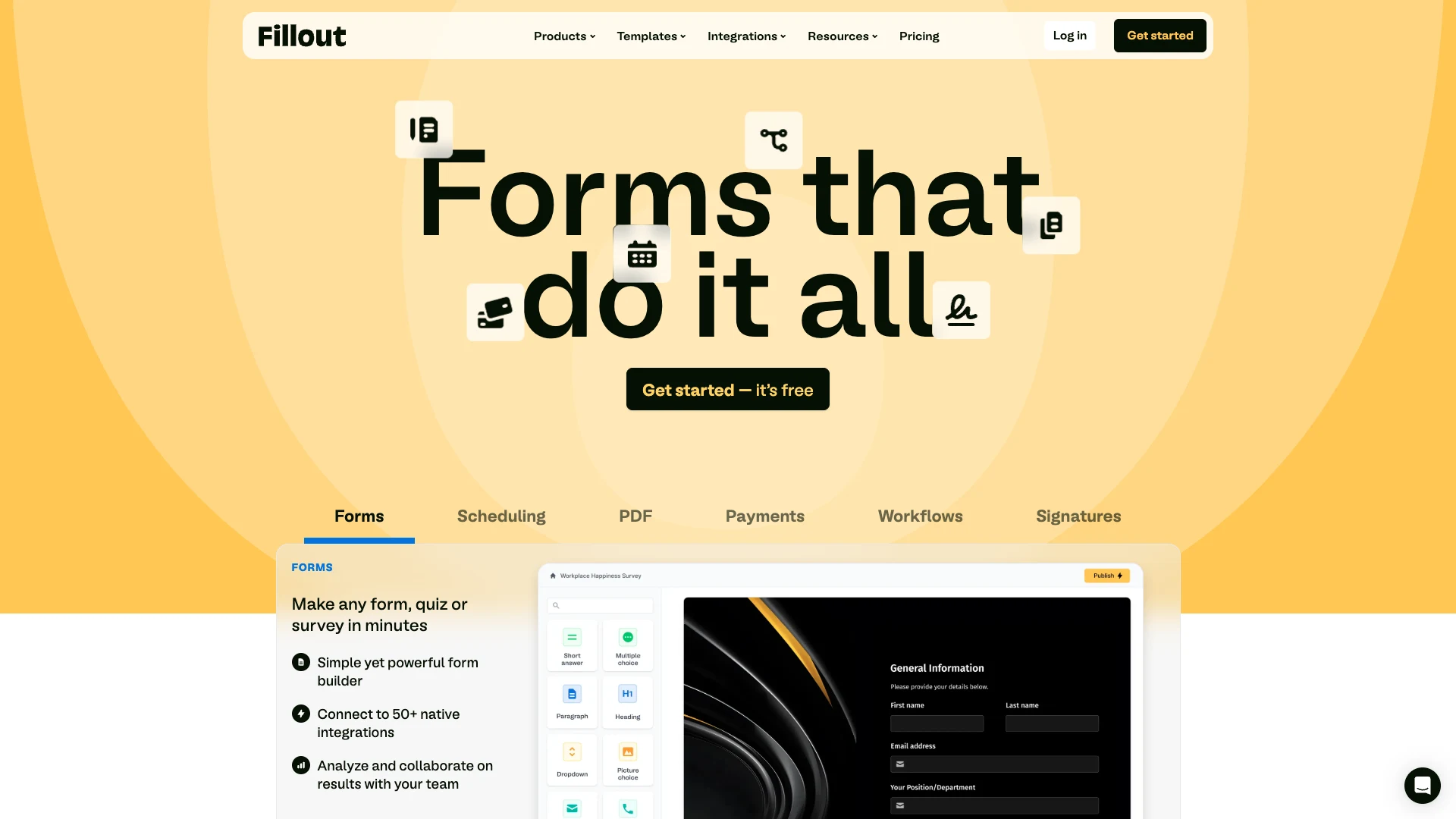
(Fillout Website)
Like many of the other platforms we’ve seen, Fillout offers AI form generation as an embedded tool on their marketing site. There are also specific AI tools for creating quizzes, surveys, and signatures from natural language inputs.
Novelly, it also offers AI generation tools for styling our forms, including creating customizable themes from images.
As a more general form builder, Fillout is a strong choice for a range of use cases. For instance, it offers a combination of built-in styling options and custom CSS, meaning we can create highly on-brand UIs for a range of customer-facing scenarios.
With 50+ integration options, as well as advanced features such as built-in calendar UIs and payment handling, Fillout is also viable for a range of more advanced forms use cases.
8. Involve.me
Involve.me is a slightly different proposition to some of the other AI form builders we’ve seen so far, offering embeddable forms and interactive landing pages, aimed at teams that want to capture leads at the top of their sales funnels.

(Involve.me Website)
As part of this, it offers a whole suite of AI-powered lead generation tools for sales and marketing teams, including form, survey, and landing page generation, personalization tools, and AI-powered analytics.
Besides AI functionality, the platform itself is highly clean and intuitive, offering no-code experiences for designing UIs, as well as implementing logic within data collection tools.
On top of this, there’s a range of lead generation-specific capabilities, such as scoring formulae, A/B testing, and integrations with a range of platforms for handling customer data.
As such it’s a highly impressive offering for this specific use case, although it might be less suitable for teams looking for a more general AI form builder solution.
9. Makeforms
Makeforms is a sleak, highly intutive no-code form builder, offering workflows, lead generation, multi-step forms, document-to-form tools, and more.
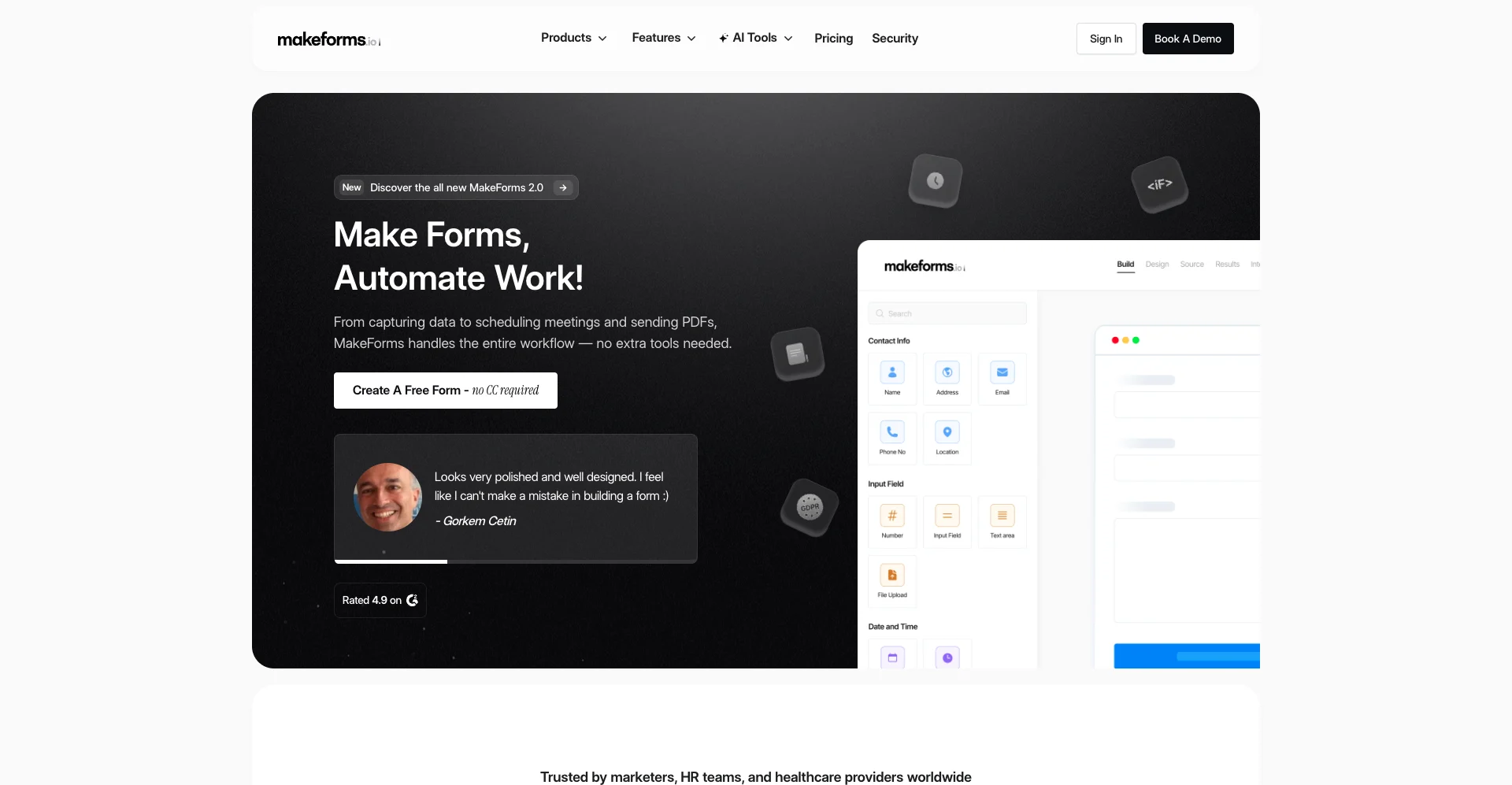
(Makeforms Website)
Out of all of the platforms with form generation that we’ve seen so far, it’s one of the more impressive offerings in terms of the control we have over the UIs we output.
For instance, there are options to specify the number of steps we want to include in our forms or the languages we’d like to support as part of the prompting process. On top of this, Makeforms offers AI-powered document-to-form capabilities, which make it a good choice for digitalizing administrative workflows.
As a broader form builder platform, Makeforms strengths include its intuitive, no-code experiences for creating professional-looking UIs.
It’s also a good choice for large organizations, with a range of data residency options, as well as tools for creating GDPR or HIPAA compliant forms.
10. Formester
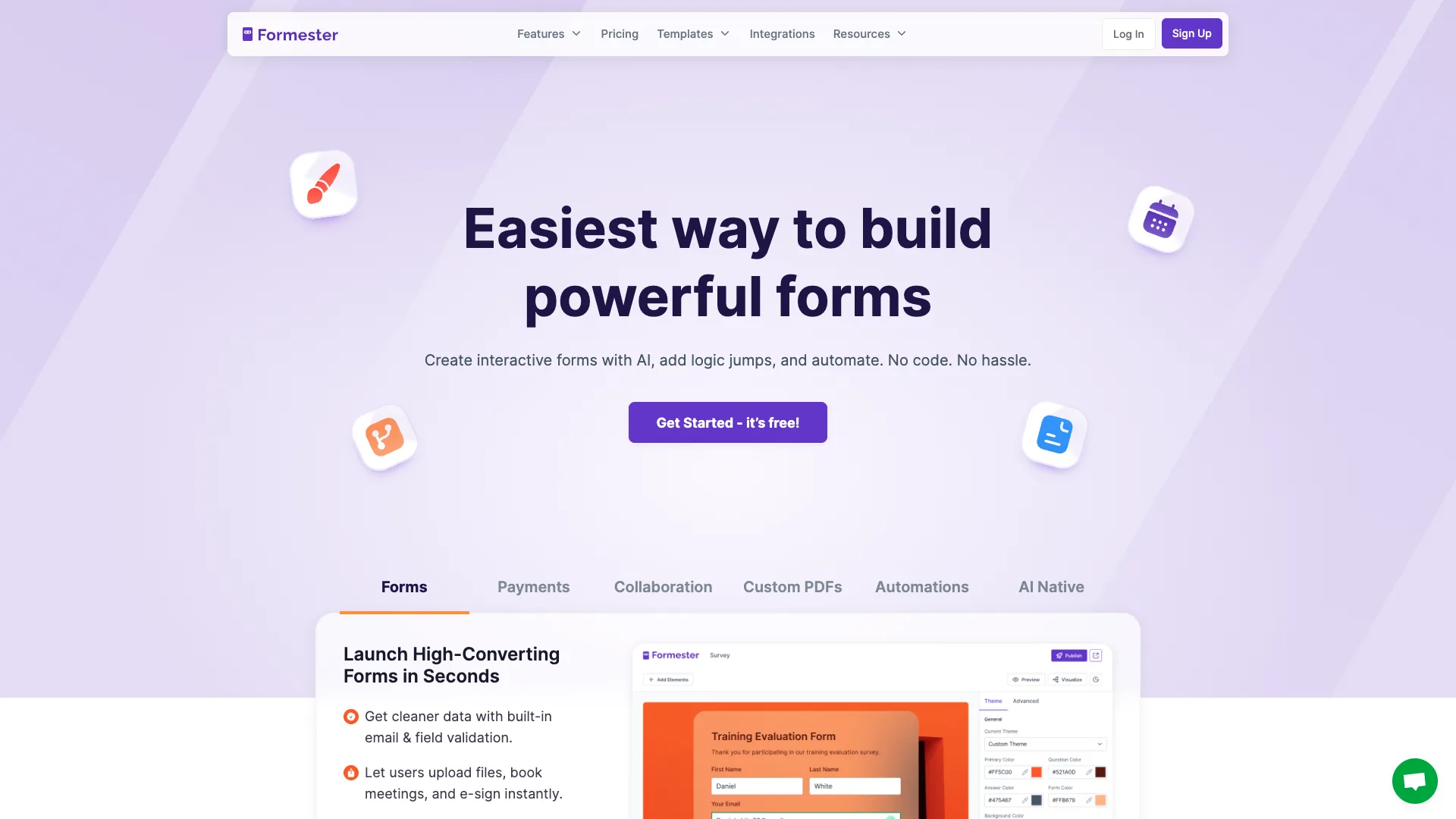
Lastly, we have Formester. This is another no-code offering, aimed at teams that want to create professional data collection UIs for a range of use cases.
(Formester Website)
Like most similar platforms on the market today, it offers a suite of AI form generation tools as part of this. In addition to standard form generation, there are also more sophisticated tools, including the ability to generate forms with conditional logic from natural language.
Besides AI capabilities, Formester is a particularly strong choice for larger organizations. One standout feature is multi-collaborations as part of the form-building process.
Additionally, it offers more advanced capabilities that many other form builders, including sleak experiences for sending HTML forms to custom servers. This offers us more flexibility with our form data than many of Formester’s larger competitors.
As such, it has the potential to be an attractive option for a wide range of use cases where we might want to leverage AI form building.
Turn data into action with Budibase
Budibase is the open-source, low-code platform that empowers IT teams to turn data into action.
We offer leading support for external databases, autogenerated forms and CRUD UIs, powerful AI-driven automations, free SSO, optional self-hosting, and more, positioning Budibase as the ideal solution for creating all kinds of internal tools.
Take a look at our features overview to learn more.